The scroll wheel helps adjust your gain. Turn the wheel up to increase the gain and sound louder, or turn it down to decrease your gain and sound quieter.
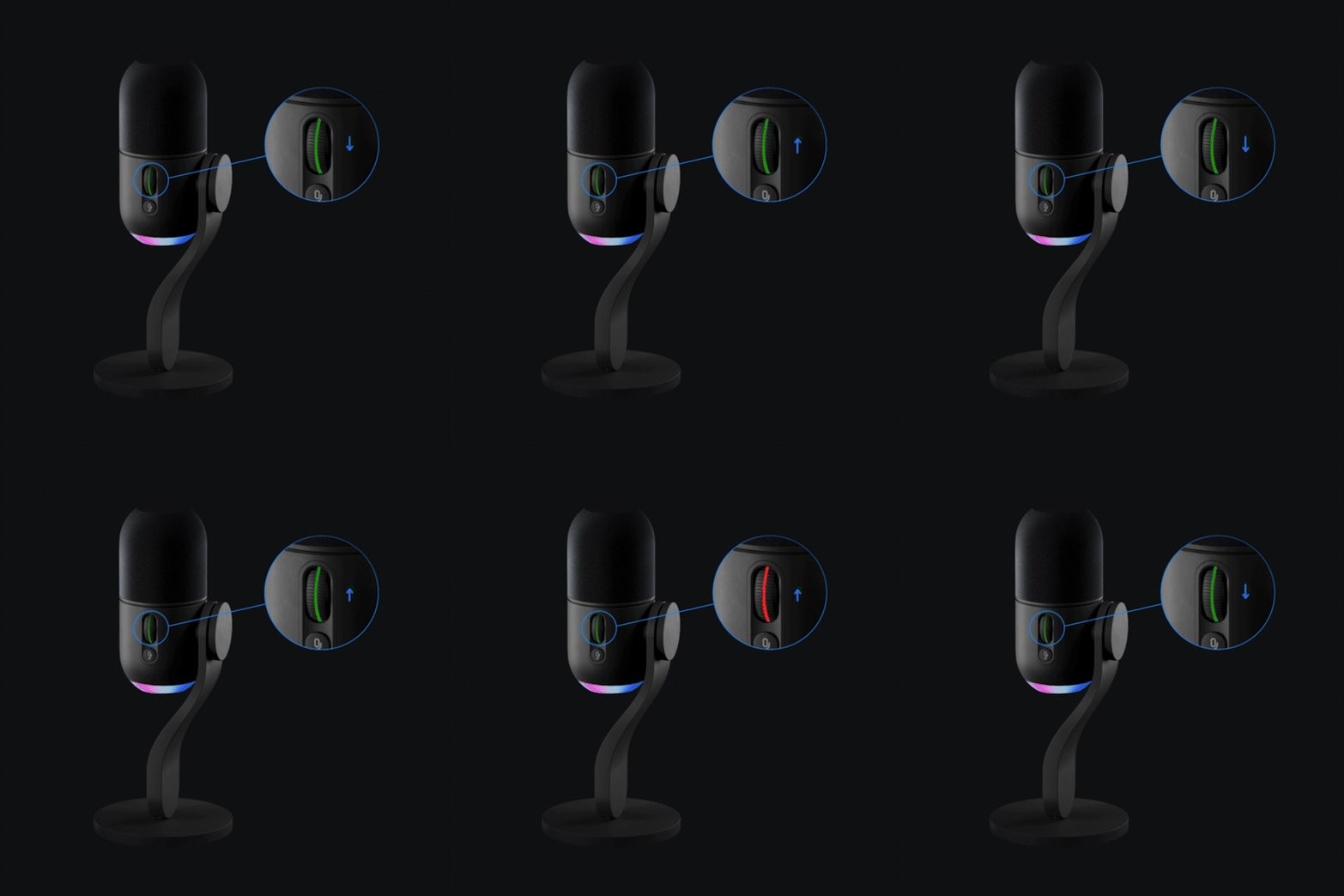
The LED colors on the microphone scroll wheel indicates the following functional information:
| LED Color | Description |
|
White |
Mic is powered on (but not currently being used by any program). |
|
Green |
Mic is active and being used by a program. |
|
Flashing Red |
The gain level is too high, causing clipping or distortion. It’s best to turn it down. |
|
Solid Red |
Mute (enabled by the mute button below the scroll wheel). |
Audio Lock toggle on/off (click the wheel in)
Audio Lock physically disables the control wheel so gain is not accidentally adjusted. It also applies special onboard processing (limiter, compressor, and expander) to hold your audio level where it is even if you get louder. This is done to prevent distortion and offers a more pleasant listening experience for your audience.
-
- The wheel color turns to solid Cyan while Audio Lock is on.
Important Notice: The Firmware Update Tool is no longer supported or maintained by Logitech. We highly recommend using Logi Options+ for your supported Logitech devices. We are here to assist you during this transition.
Important Notice: The Logitech Preference Manager is no longer supported or maintained by Logitech. We highly recommend using Logi Options+ for your supported Logitech devices. We are here to assist you during this transition.
Important Notice: The Logitech Control Center is no longer supported or maintained by Logitech. We highly recommend using Logi Options+ for your supported Logitech devices. We are here to assist you during this transition.
Important Notice: The Logitech Connection Utility is no longer supported or maintained by Logitech. We highly recommend using Logi Options+ for your supported Logitech devices. We are here to assist you during this transition.
Important Notice: The Unifying Software is no longer supported or maintained by Logitech. We highly recommend using Logi Options+ for your supported Logitech devices. We are here to assist you during this transition.
Important Notice: The SetPoint software is no longer supported or maintained by Logitech. We highly recommend using Logi Options+ for your supported Logitech devices. We are here to assist you during this transition.
Frequently Asked Questions
There are no products available for this section
There are no Downloads for this Product
There are no Downloads for this Version.
Compatible Product
