Yes, the G515 RAPID TKL has onboard memory to store multiple profiles. This allows you to save your custom settings (like actuation points, rapid trigger settings, and key assignments) directly onto the keyboard, so they can be used even when G HUB is not running or when the keyboard is connected to a different computer. The document mentions three pre-configured onboard profiles and one customizable analog profile.
- In the G515 RAPID TKL configuration screen, click Device Settings at the bottom-left corner of the device profile page.
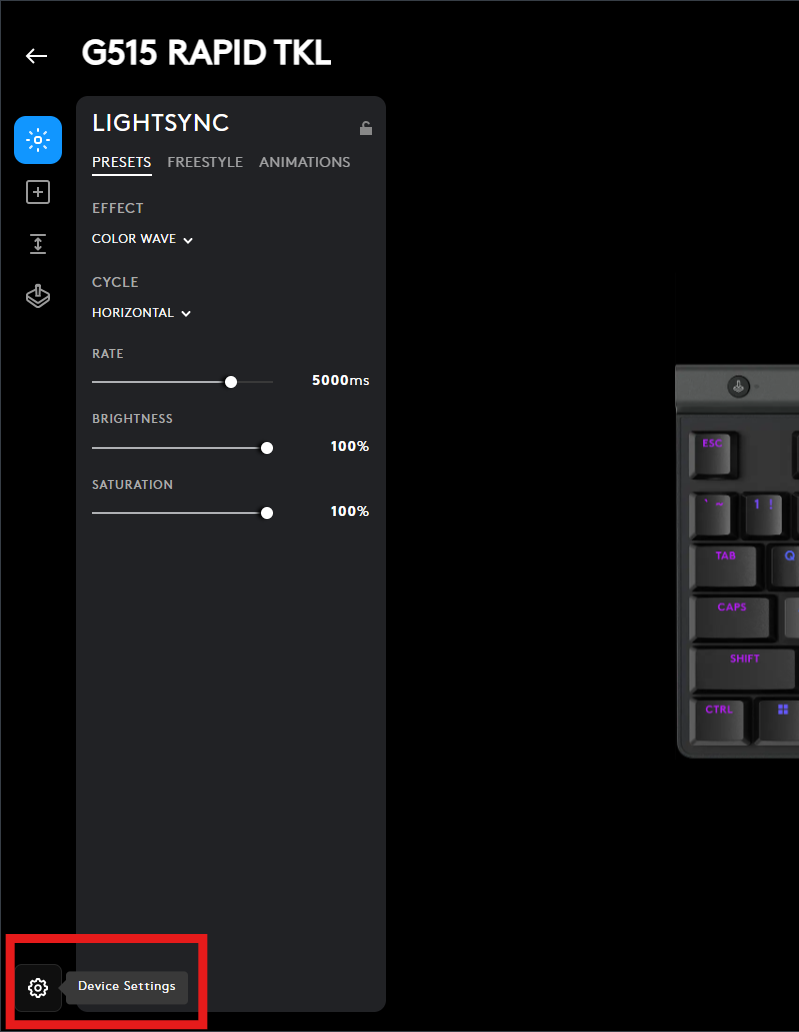
-
Turn On-Board Memory Mode on by clicking the toggle button next to it.
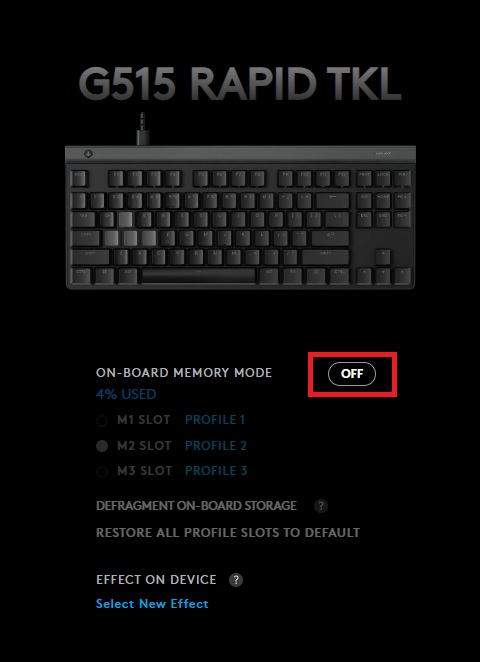
-
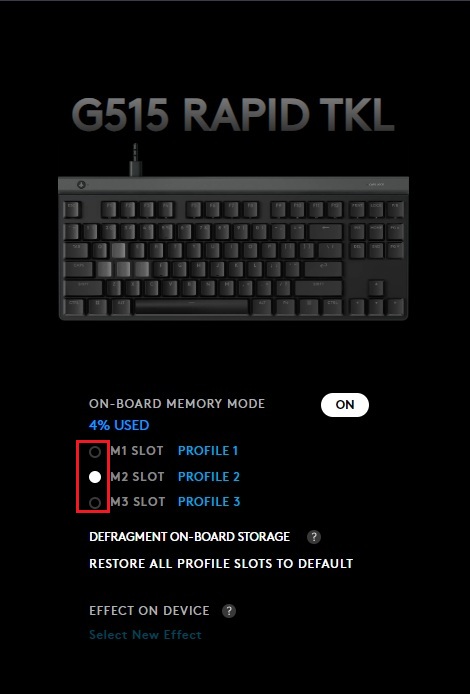
Choose one of the three available slots by selecting its radio button.
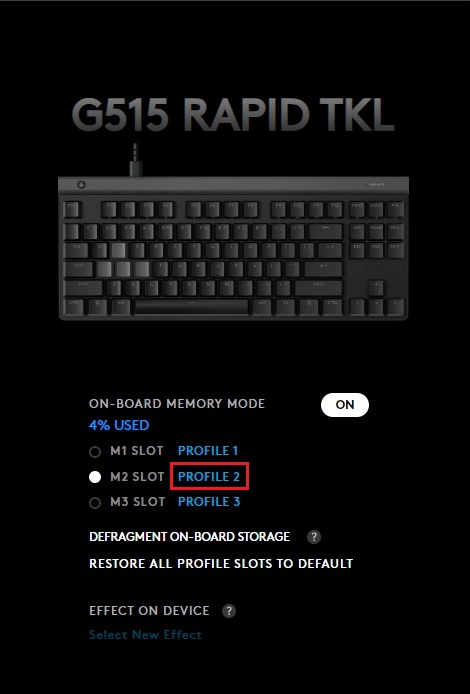
- Click the PROFILE link for that slot, then select the profile you want to store in the keyboard’s On-Board Memory.
Important Notice: The Firmware Update Tool is no longer supported or maintained by Logitech. We highly recommend using Logi Options+ for your supported Logitech devices. We are here to assist you during this transition.
Important Notice: The Logitech Preference Manager is no longer supported or maintained by Logitech. We highly recommend using Logi Options+ for your supported Logitech devices. We are here to assist you during this transition.
Important Notice: The Logitech Control Center is no longer supported or maintained by Logitech. We highly recommend using Logi Options+ for your supported Logitech devices. We are here to assist you during this transition.
Important Notice: The Logitech Connection Utility is no longer supported or maintained by Logitech. We highly recommend using Logi Options+ for your supported Logitech devices. We are here to assist you during this transition.
Important Notice: The Unifying Software is no longer supported or maintained by Logitech. We highly recommend using Logi Options+ for your supported Logitech devices. We are here to assist you during this transition.
Important Notice: The SetPoint software is no longer supported or maintained by Logitech. We highly recommend using Logi Options+ for your supported Logitech devices. We are here to assist you during this transition.
Frequently Asked Questions
There are no products available for this section
There are no Downloads for this Product
There are no Downloads for this Version.
Compatible Product
