Profiles allow you to manually set specific configurations for the G-keys on the side of the headset.
NOTE: Profiles must be manually selected - they cannot autodetect programs.
First, create a profile:
-
Launch the G35 software (Start >Programs > Logitech > G35 >Configure G35).
-
Open Profiles drop-down menu.
-
Choose Create Profile.
-
Input a name for your new profile and click OK.
To set specific G-key settings for a profile, do the following:
-
Launch the G35 software (Start > Programs > Logitech > G35 > Configure G35)
-
Choose your previously created profile form the Profiles menu.
-
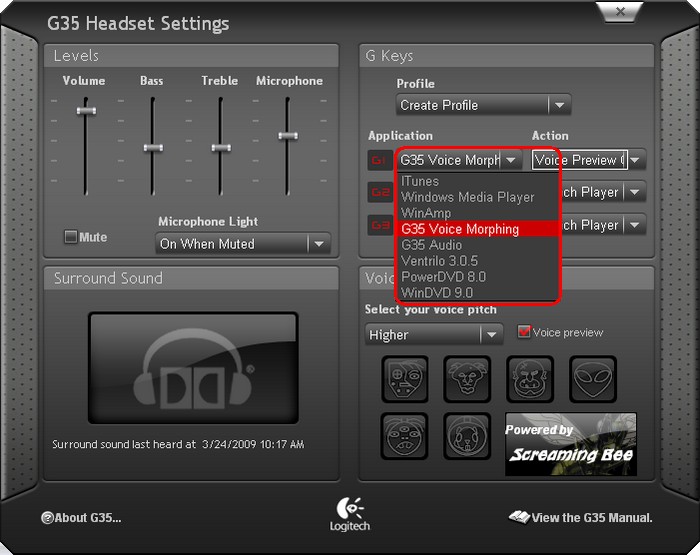
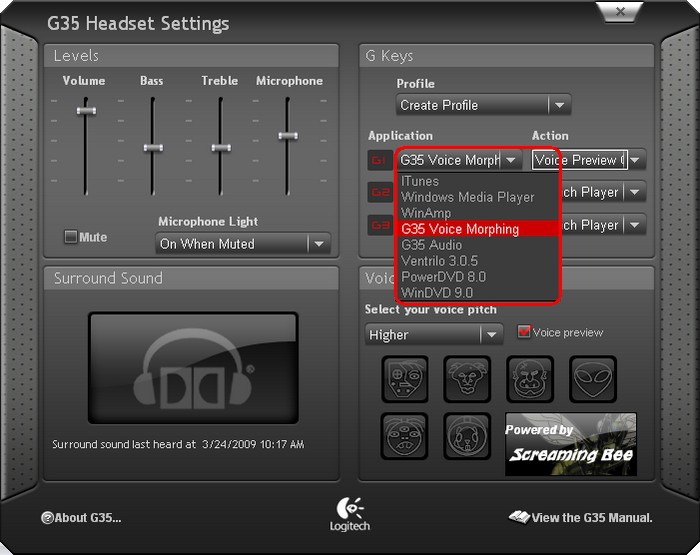
For each G-Key, select an application from the drop-down menu.
-
Choose the desired function (play/pause, enable voice morphing, etc) from the drop-down list.
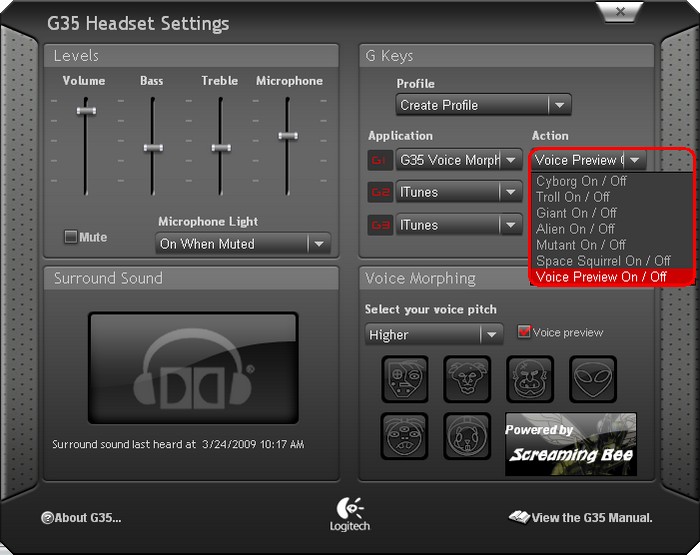
NOTE: The possible functions and abilities of the G-Keys may differ based on the application selected.
Important Notice: The Firmware Update Tool is no longer supported or maintained by Logitech. We highly recommend using Logi Options+ for your supported Logitech devices. We are here to assist you during this transition.
Important Notice: The Logitech Preference Manager is no longer supported or maintained by Logitech. We highly recommend using Logi Options+ for your supported Logitech devices. We are here to assist you during this transition.
Important Notice: The Logitech Control Center is no longer supported or maintained by Logitech. We highly recommend using Logi Options+ for your supported Logitech devices. We are here to assist you during this transition.
Important Notice: The Logitech Connection Utility is no longer supported or maintained by Logitech. We highly recommend using Logi Options+ for your supported Logitech devices. We are here to assist you during this transition.
Important Notice: The Unifying Software is no longer supported or maintained by Logitech. We highly recommend using Logi Options+ for your supported Logitech devices. We are here to assist you during this transition.
Important Notice: The SetPoint software is no longer supported or maintained by Logitech. We highly recommend using Logi Options+ for your supported Logitech devices. We are here to assist you during this transition.
Frequently Asked Questions
There are no products available for this section
There are no Downloads for this Product
There are no Downloads for this Version.
Compatible Product
