In certain cases the plugin’s target application does respond to different sets of keyboard shortcuts for the main actions that you can perform in the application. The ability to use those shortcuts can also sometimes depend on the keyboard layout that you’re using on your computer.
Some of our plugins do offer a different set of keyboard shortcuts that depend on the language of your system or the language of the target app.
To change this, you can select the appropriate plugin, then use the 3-dots menu to open Plugin settings, and look for the Keyboard Shortcut Mapping dropdown.
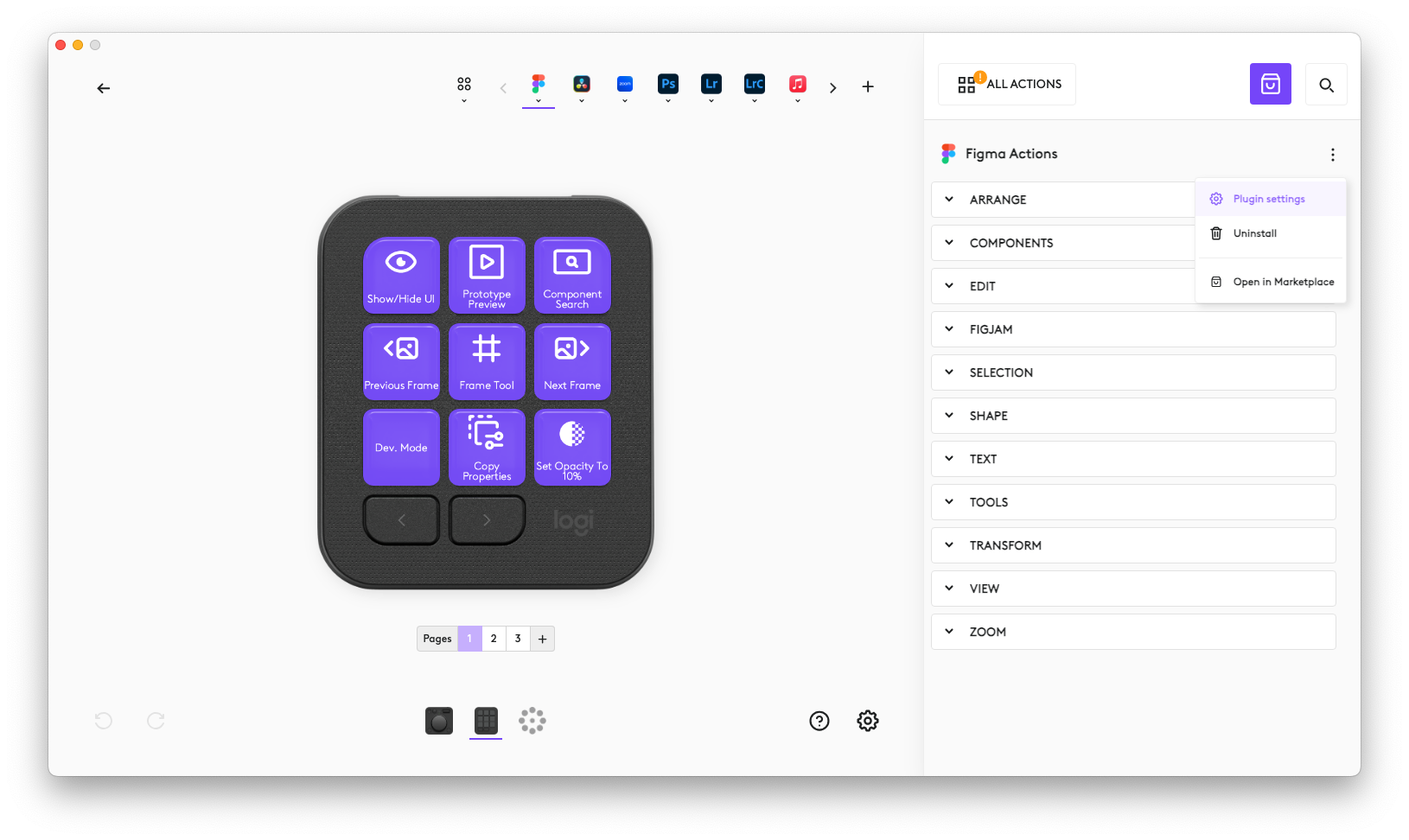
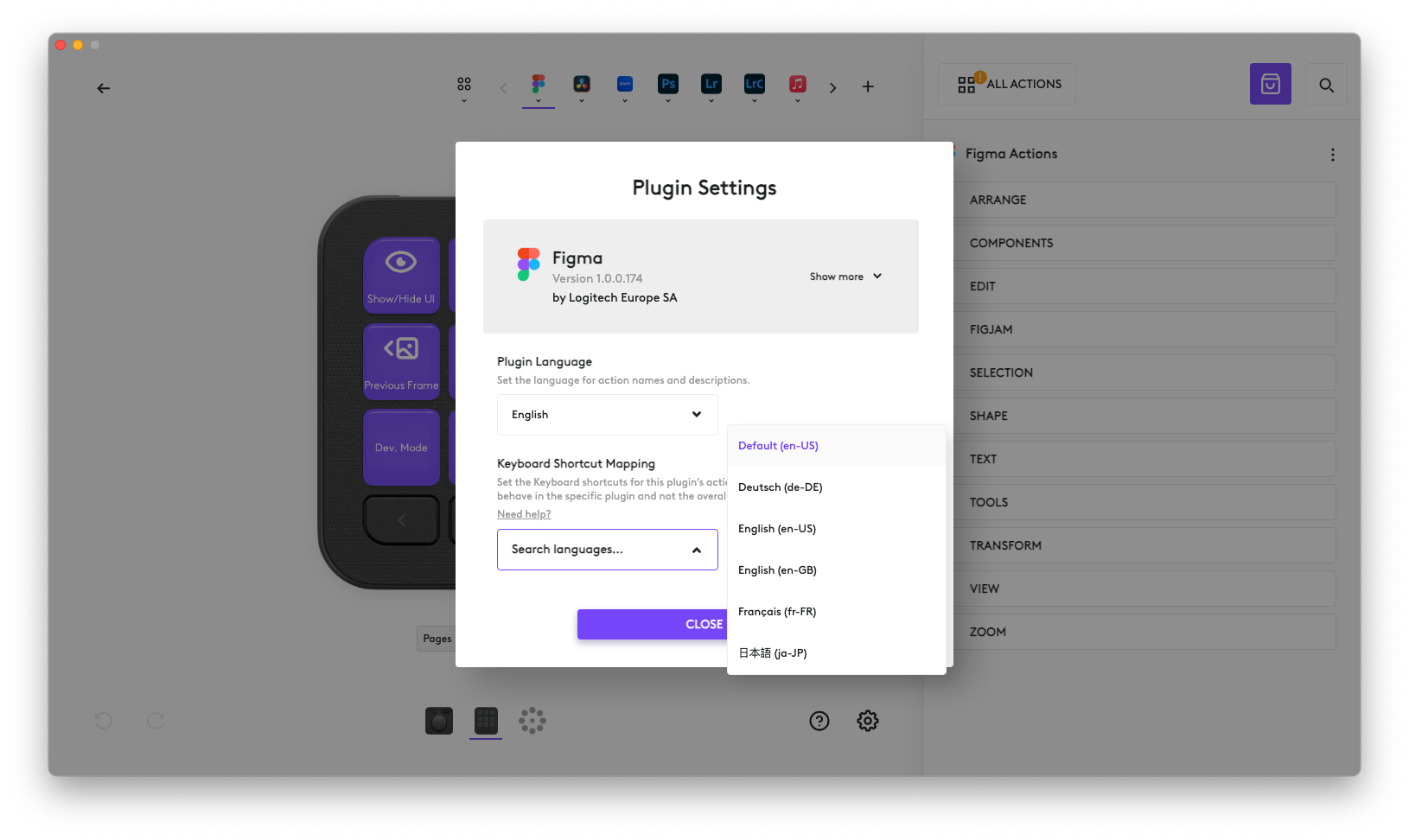
The default setting will be initially using the keyboard shortcut mapping that corresponds to the language of the Options+ language, but you can manually select another mapping from the dropdown.
Note: Not all plugins support many different mappings, but we are constantly updating the plugins to add new mappings over time.
Important Notice: The Firmware Update Tool is no longer supported or maintained by Logitech. We highly recommend using Logi Options+ for your supported Logitech devices. We are here to assist you during this transition.
Important Notice: The Logitech Preference Manager is no longer supported or maintained by Logitech. We highly recommend using Logi Options+ for your supported Logitech devices. We are here to assist you during this transition.
Important Notice: The Logitech Control Center is no longer supported or maintained by Logitech. We highly recommend using Logi Options+ for your supported Logitech devices. We are here to assist you during this transition.
Important Notice: The Logitech Connection Utility is no longer supported or maintained by Logitech. We highly recommend using Logi Options+ for your supported Logitech devices. We are here to assist you during this transition.
Important Notice: The Unifying Software is no longer supported or maintained by Logitech. We highly recommend using Logi Options+ for your supported Logitech devices. We are here to assist you during this transition.
Important Notice: The SetPoint software is no longer supported or maintained by Logitech. We highly recommend using Logi Options+ for your supported Logitech devices. We are here to assist you during this transition.
Frequently Asked Questions
There are no products available for this section
There are no Downloads for this Product
There are no Downloads for this Version.
Compatible Product
