The MX Keypad is designed to work with your non-dominant hand, ideally located next to your keyboard and opposite your mouse.
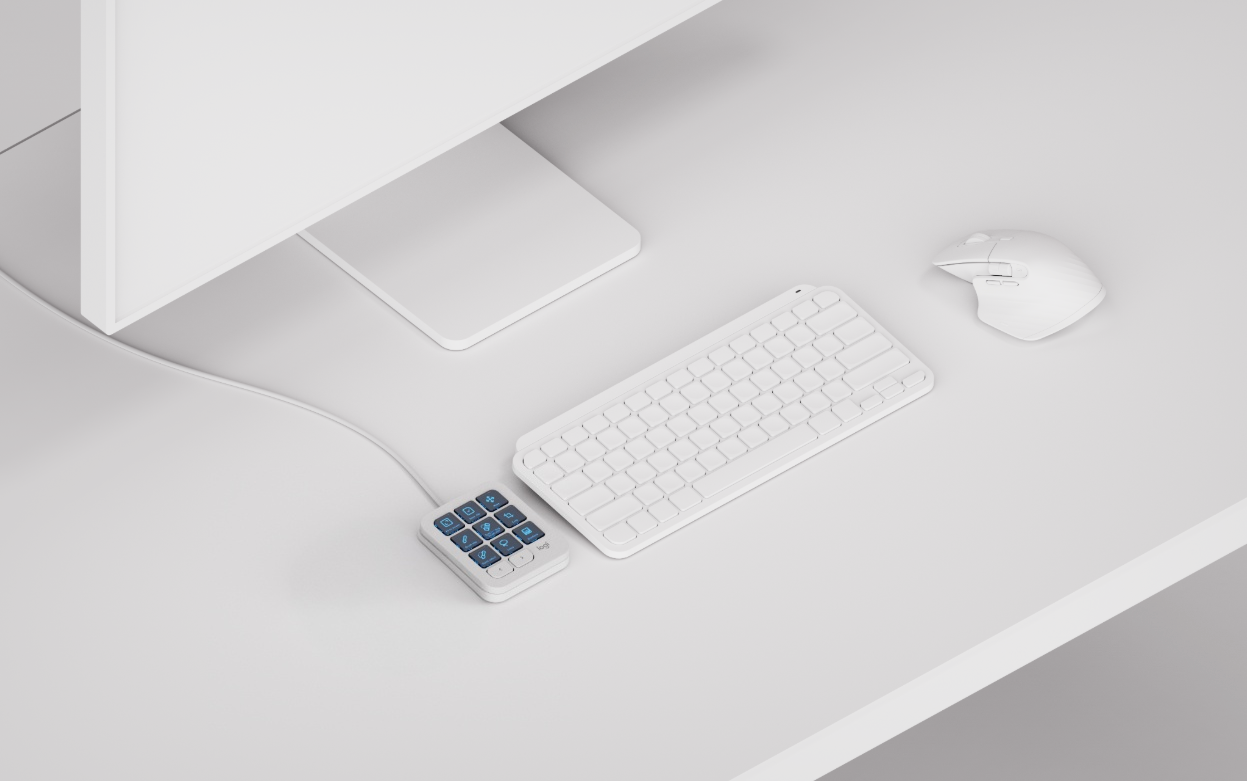
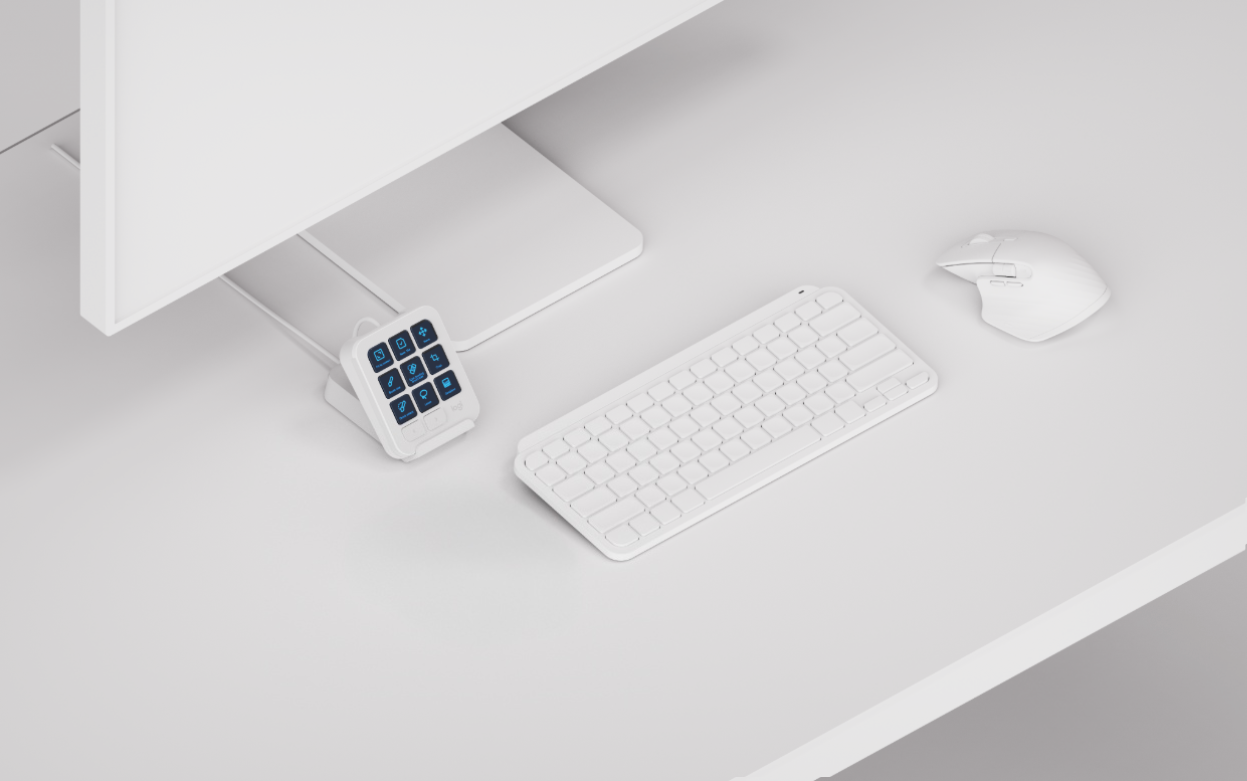
If you have space limitations on your desk and little room to place both devices next to your keyboard, you can place the MX Keypad behind your keyboard and tilt it using the stand.
The stand
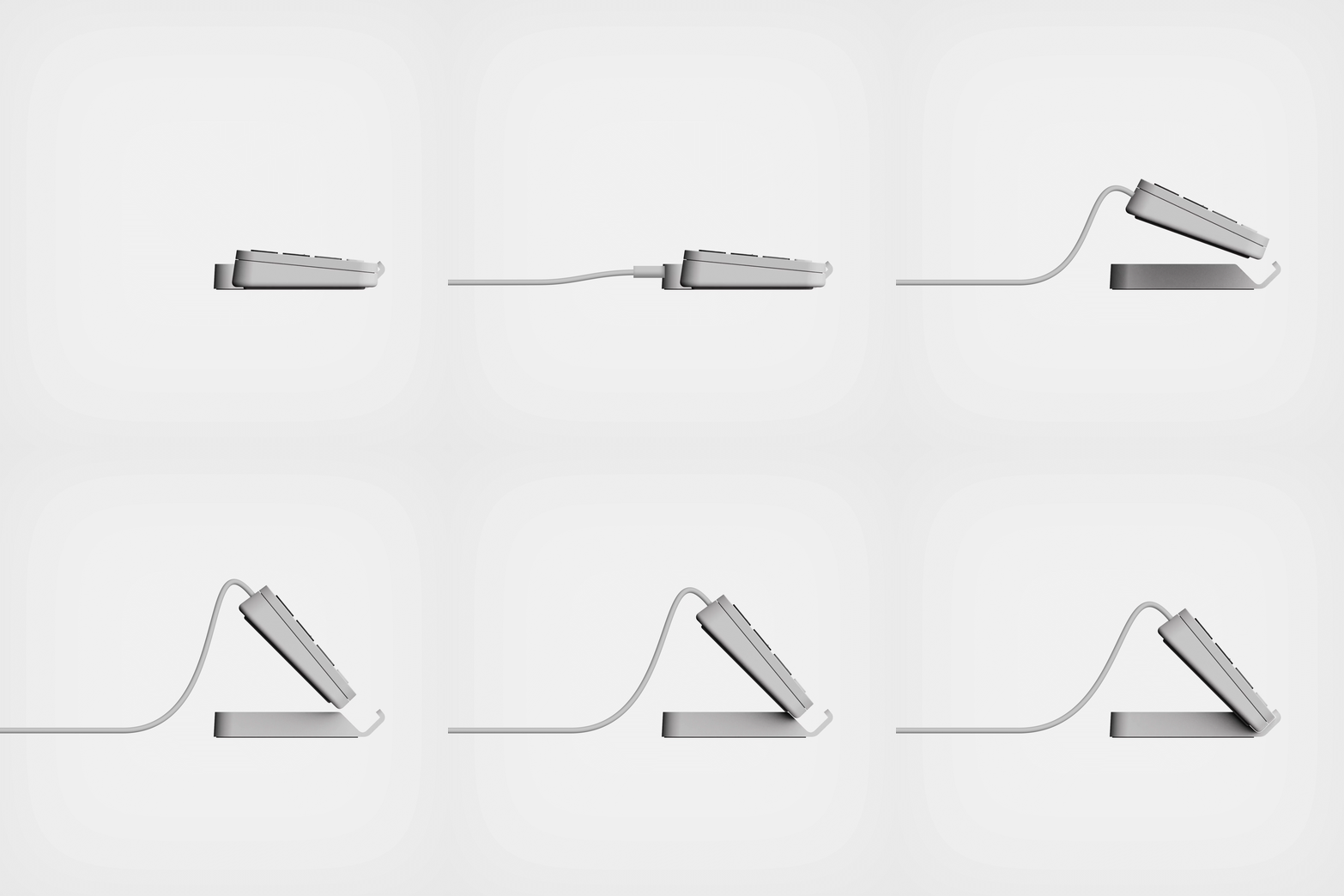
The stand for the MX Keypad was designed to ensure proper visibility of the LCD keys, in setups where the device may be too far from your area of vision.
The MX Keypad should be positioned vertically in the gap in front of the stand. The MX Keypad’s cable is managed through the small opening at the back of the stand.
Product overview
The MX Keypad allows you to perform the most relevant and useful actions to trigger tools, adjust parameters, and navigate interfaces.
MX Keypad features
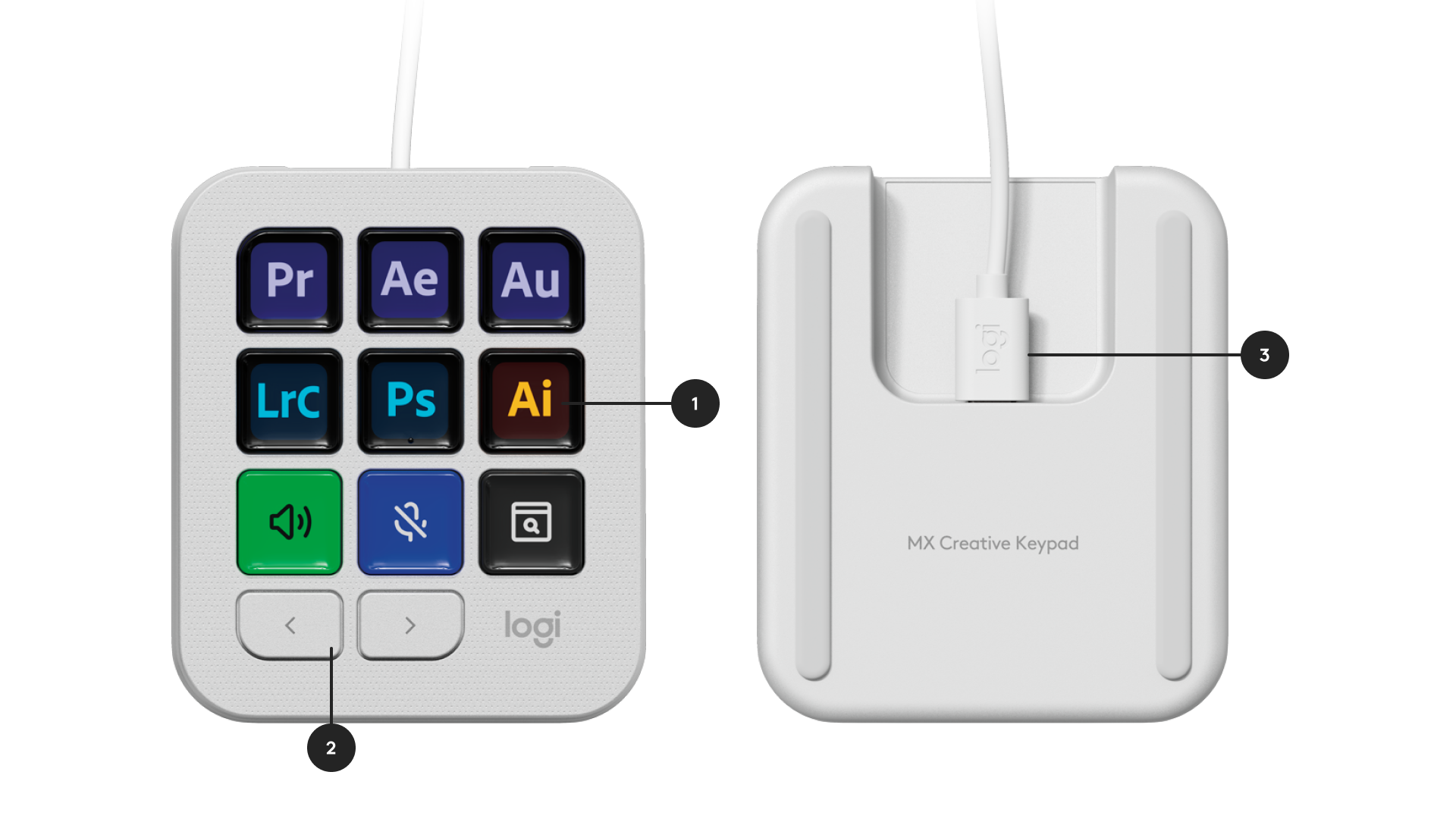
- Display keys
- Paging buttons
- Detachable USB-C to C cable
What's in the box?
- MX Keypad, with 1.5m USB-C to C 2.0 cable
- MX Keypad stand
- User documentation
Important Notice: The Firmware Update Tool is no longer supported or maintained by Logitech. We highly recommend using Logi Options+ for your supported Logitech devices. We are here to assist you during this transition.
Important Notice: The Logitech Preference Manager is no longer supported or maintained by Logitech. We highly recommend using Logi Options+ for your supported Logitech devices. We are here to assist you during this transition.
Important Notice: The Logitech Control Center is no longer supported or maintained by Logitech. We highly recommend using Logi Options+ for your supported Logitech devices. We are here to assist you during this transition.
Important Notice: The Logitech Connection Utility is no longer supported or maintained by Logitech. We highly recommend using Logi Options+ for your supported Logitech devices. We are here to assist you during this transition.
Important Notice: The Unifying Software is no longer supported or maintained by Logitech. We highly recommend using Logi Options+ for your supported Logitech devices. We are here to assist you during this transition.
Important Notice: The SetPoint software is no longer supported or maintained by Logitech. We highly recommend using Logi Options+ for your supported Logitech devices. We are here to assist you during this transition.
Frequently Asked Questions
There are no products available for this section
There are no Downloads for this Product
There are no Downloads for this Version.
Compatible Product
