The K400's touchpad provides gesture support for pointer control and mouse-click functions.
Pointer control
-
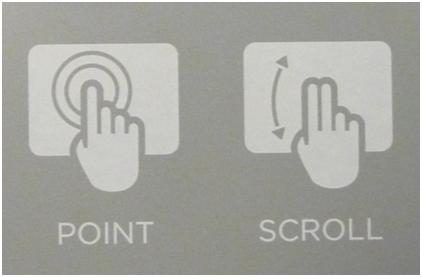
Point and move the cursor: Point and slide one finger anywhere on the touchpad to move the on-screen pointer.
-
Scroll: Scroll vertically with two fingers, up or down.
Mouse click
The tap-to-click gesture allows you to tap the touchpad surface to perform left mouse button clicks
-
Left click — Tap once.
-
Double click — Tap twice.
You can select or clear the tap-to-click feature using SetPoint. For instructions on how to do this, see answer 360023243074. You can also turn the tap-to-click feature on or off without SetPoint. Here's how:
- Press the FN key + left mouse button at the same time to select or disable the 'tap-to-click' function.
Important Notice: The Firmware Update Tool is no longer supported or maintained by Logitech. We highly recommend using Logi Options+ for your supported Logitech devices. We are here to assist you during this transition.
Important Notice: The Logitech Preference Manager is no longer supported or maintained by Logitech. We highly recommend using Logi Options+ for your supported Logitech devices. We are here to assist you during this transition.
Important Notice: The Logitech Control Center is no longer supported or maintained by Logitech. We highly recommend using Logi Options+ for your supported Logitech devices. We are here to assist you during this transition.
Important Notice: The Logitech Connection Utility is no longer supported or maintained by Logitech. We highly recommend using Logi Options+ for your supported Logitech devices. We are here to assist you during this transition.
Important Notice: The Unifying Software is no longer supported or maintained by Logitech. We highly recommend using Logi Options+ for your supported Logitech devices. We are here to assist you during this transition.
Important Notice: The SetPoint software is no longer supported or maintained by Logitech. We highly recommend using Logi Options+ for your supported Logitech devices. We are here to assist you during this transition.
Frequently Asked Questions
There are no products available for this section
There are no Downloads for this Product
There are no Downloads for this Version
Compatible Product
