- Launch the Logitech Harmony Remote software and login to your account
- Click on
 (Remote Settings) tab
 - Click on the
 (Manage Remotes) button
 - Click
 (Add) to add a RF extender to your account
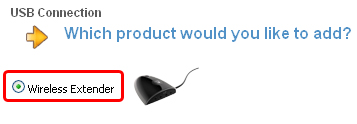
 - Select Wireless Extender when prompted and click
 (Next) to continue
- Connect the Wireless Extender to the PC and click (Next) to continue
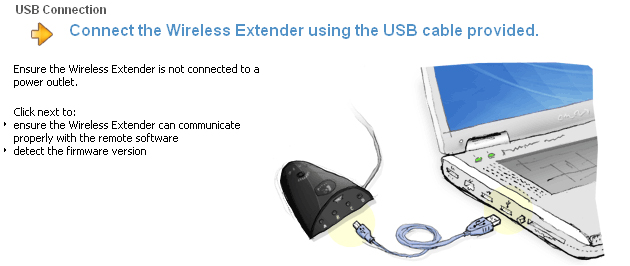
- The software will then detect your Wireless Extender

- If you are prompted to update your remote select No and click (Next) to continue

- Assign devices to your Wireless Extender or Harmony remote as desired. Once finished, click (Next) to save your changes and continue
- For information on Assigning devices to a Wireless Extender please see 360023223174 - Assigning devices to be controlled by a Wireless Extender using a Harmony 890, 895, 1000 or 1100 remote
- For information on assigning devices to specific ports, please see 360023223174 - Why should I assign my devices to specific ports on my Harmony Wireless Extender?
- Click on the
 (Update Remote) button and follow the onscreen steps to update your Harmony remote and Wireless Extender with the new device assignments
Important Notice: The Firmware Update Tool is no longer supported or maintained by Logitech. We highly recommend using Logi Options+ for your supported Logitech devices. We are here to assist you during this transition.
Important Notice: The Logitech Preference Manager is no longer supported or maintained by Logitech. We highly recommend using Logi Options+ for your supported Logitech devices. We are here to assist you during this transition.
Important Notice: The Logitech Control Center is no longer supported or maintained by Logitech. We highly recommend using Logi Options+ for your supported Logitech devices. We are here to assist you during this transition.
Important Notice: The Logitech Connection Utility is no longer supported or maintained by Logitech. We highly recommend using Logi Options+ for your supported Logitech devices. We are here to assist you during this transition.
Important Notice: The Unifying Software is no longer supported or maintained by Logitech. We highly recommend using Logi Options+ for your supported Logitech devices. We are here to assist you during this transition.
Important Notice: The SetPoint software is no longer supported or maintained by Logitech. We highly recommend using Logi Options+ for your supported Logitech devices. We are here to assist you during this transition.
Frequently Asked Questions
There are no products available for this section
There are no Downloads for this Product
There are no Downloads for this Version
Compatible Product
