Using SetPoint, you can change the settings on your buttons and set keystroke assignments.
To change the button settings on your S 510:
-
Open SetPoint (Start > Programs > Logitech > Mouse and Keyboard > Mouse and Keyboard Settings).
If you do not have SetPoint installed you can download it on our S 510 Downloads Page.
-
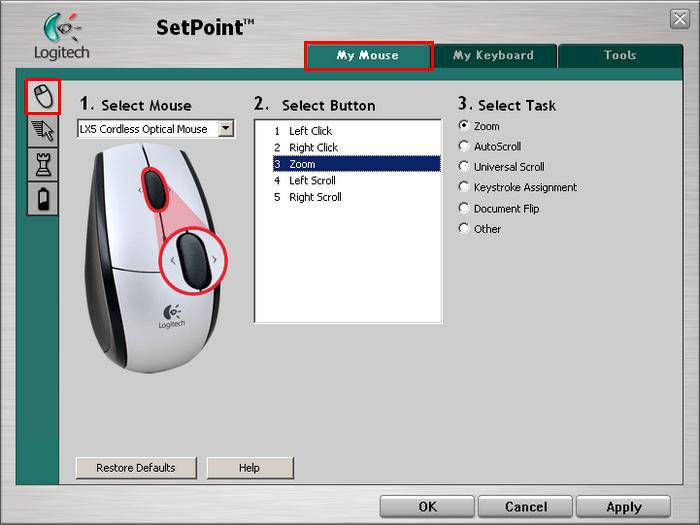
Click the My Mouse tab on the top of the screen. The Mouse Button Settings side tab should open by default (shown below).
-
If your S 510 mouse (LX5 Cordless Optical Mouse) is not shown, you can select it by clicking the drop down menu under “Select Mouse”.
-
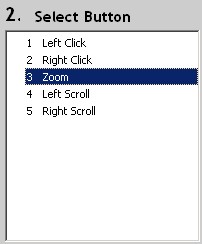
Select the mouse button you want to customize.
-
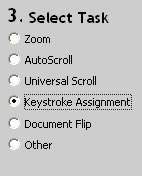
Choose the task you want the button to perform. You can also click Help to find detailed descriptions of these options.
-
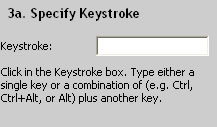
Certain options may generate a sub-section to allow you to make further customizations. In this case you can program the mouse button to produce a keystroke.
-
Click Apply to save your settings. Click OK to exit SetPoint.
Important Notice: The Firmware Update Tool is no longer supported or maintained by Logitech. We highly recommend using Logi Options+ for your supported Logitech devices. We are here to assist you during this transition.
Important Notice: The Logitech Preference Manager is no longer supported or maintained by Logitech. We highly recommend using Logi Options+ for your supported Logitech devices. We are here to assist you during this transition.
Important Notice: The Logitech Control Center is no longer supported or maintained by Logitech. We highly recommend using Logi Options+ for your supported Logitech devices. We are here to assist you during this transition.
Important Notice: The Logitech Connection Utility is no longer supported or maintained by Logitech. We highly recommend using Logi Options+ for your supported Logitech devices. We are here to assist you during this transition.
Important Notice: The Unifying Software is no longer supported or maintained by Logitech. We highly recommend using Logi Options+ for your supported Logitech devices. We are here to assist you during this transition.
Important Notice: The SetPoint software is no longer supported or maintained by Logitech. We highly recommend using Logi Options+ for your supported Logitech devices. We are here to assist you during this transition.
Frequently Asked Questions
There are no products available for this section