-
Download and save the firmware update for your device, and then double-click on the file to open it.
-
Check the battery for your Unifying device and recharge or replace it with a fresh battery, if needed.
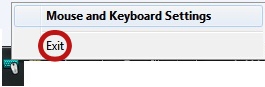
NOTE: If you have Logitech SetPoint installed and running, click the SetPoint icon in the notification area, and then select Exit before you begin the firmware update process.
-
Launch the Unifying Software:
Start > Programs > Logitech > Unifying > Logitech Unifying Software
NOTE: If you don’t have Logitech Unifying software installed, you’ll need to download and install it first. -
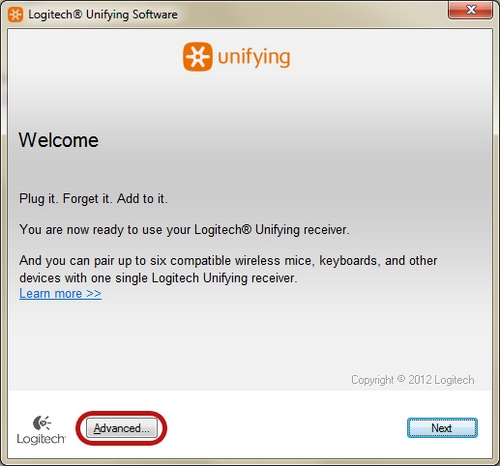
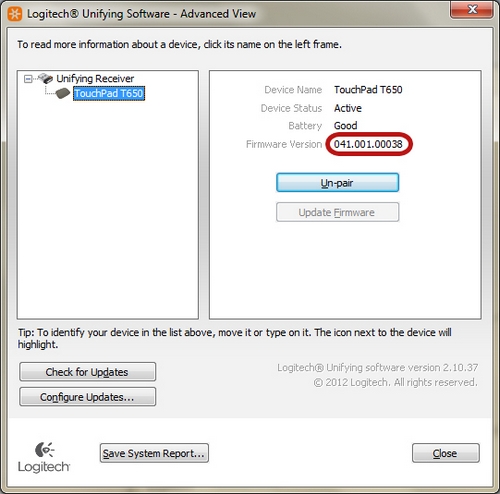
In the Welcome window, click Advanced.
-
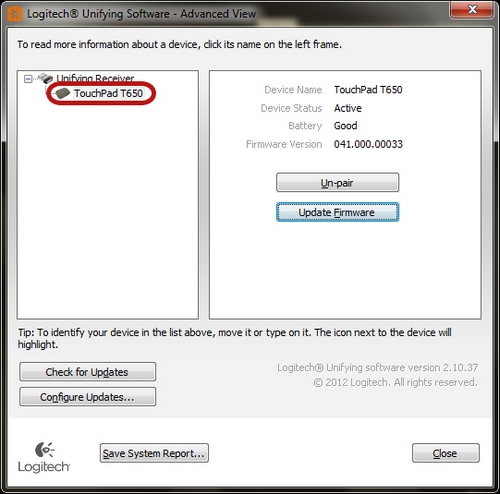
In the left pane, select your device.
-
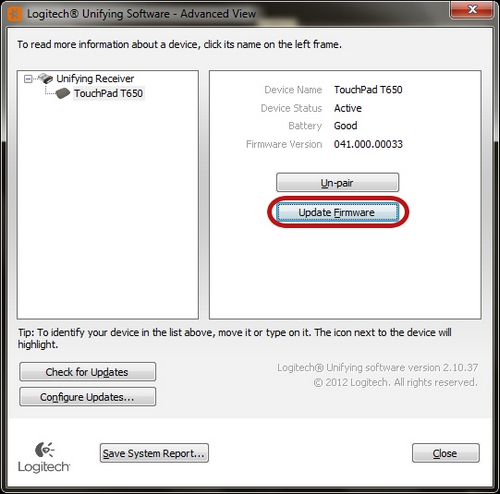
In the right pane, click Update Firmware.
-
Follow the on-screen instructions to finish installing the update. Check Firmware Version to confirm that the firmware has been updated.
Click Close to exit.
-
Once the firmware is updated, you can re-launch SetPoint:
Start > Programs > Logitech > Mouse and Keyboard > Mouse and Keyboard Settings
Important Notice: The Firmware Update Tool is no longer supported or maintained by Logitech. We highly recommend using Logi Options+ for your supported Logitech devices. We are here to assist you during this transition.
Important Notice: The Logitech Preference Manager is no longer supported or maintained by Logitech. We highly recommend using Logi Options+ for your supported Logitech devices. We are here to assist you during this transition.
Important Notice: The Logitech Control Center is no longer supported or maintained by Logitech. We highly recommend using Logi Options+ for your supported Logitech devices. We are here to assist you during this transition.
Important Notice: The Logitech Connection Utility is no longer supported or maintained by Logitech. We highly recommend using Logi Options+ for your supported Logitech devices. We are here to assist you during this transition.
Important Notice: The Unifying Software is no longer supported or maintained by Logitech. We highly recommend using Logi Options+ for your supported Logitech devices. We are here to assist you during this transition.
Important Notice: The SetPoint software is no longer supported or maintained by Logitech. We highly recommend using Logi Options+ for your supported Logitech devices. We are here to assist you during this transition.
Frequently Asked Questions
There are no products available for this section
There are no Downloads for this Product
There are no Downloads for this Version
Compatible Product
