|
|
 |
|
 |
 |
 |
 |
|
Premium 4K webcam with HDR and Windows Hello support |
4K webcam with HDR and noise-canceling mics |
Full HD 1080p webcam with light correction, auto-framing, and Show Mode |
Full HD 1080p webcam with light correction, auto-framing, and Show Mode |
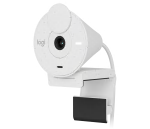
Full HD webcam with auto light correction, noise-reducing microphone, and USB-C connectivity. |
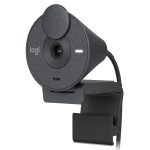
Full HD webcam with auto light correction, noise-reducing microphone, and USB-C connectivity. |
|
|
For Business |
• |
- |
- |
• |
- |
• |
|
Video Conferencing |
• |
• |
• |
• |
• |
• |
|
Logitech Sync Compatible |
• |
- |
- |
• |
- |
• |
|
Zoom |
• |
• |
• |
• |
• |
• |
|
Cisco Webex |
• |
- |
- |
- |
- |
- |
|
Cisco Jabber |
• |
- |
- |
- |
- |
- |
|
Google Meet |
• |
• |
• |
• |
• |
• |
|
Works With Chromebook |
- |
- |
• |
• |
• |
• |
|
Skype |
• |
• |
• |
• |
• |
• |
|
Skype for Business |
• |
- |
- |
- |
- |
- |
|
Microsoft Teams |
• |
- |
• |
• |
• |
• |
|
Windows Hello |
• |
• |
- |
- |
- |
- |
|
Microsoft Cortana |
• |
- |
- |
- |
- |
- |
|
Other VC Applications |
• |
• |
• |
• |
• |
• |
|
Privacy Shutter |
• |
• |
• |
• |
• |
• |
|
Universal Clip |
• |
• |
• |
• |
• |
• |
|
Infrared Sensor Technology |
• |
• |
- |
- |
- |
- |
|
Dual Omnidirectional Mics |
• |
• |
• |
• |
- |
- |
|
Autofocus |
• |
• |
• |
• |
- |
- |
|
Adjustable Field of View |
• |
• |
• |
• |
- |
- |
|
Pan + Tilt |
• |
• |
• |
• |
- |
- |
|
High Dynamic Range |
• |
• |
• |
• |
• |
• |
|
Optical Zoom |
• |
- |
• |
• |
- |
- |
|
Digital Zoom |
• |
• |
• |
• |
• |
• |
|
Glass Lens |
• |
• |
• |
• |
• |
• |
|
Tripod Thread |
• |
• |
• |
• |
- |
- |
|
Logi Tune |
• |
• |
• |
• |
• |
• |
|
Logi Capture |
• |
• |
- |
- |
- |
- |
|
XSplit |
• |
• |
- |
- |
- |
- |
|
720p 30fps |
• |
• |
- |
- |
• |
• |
|
720p 60fps |
• |
• |
• |
• |
- |
- |
|
720p 90fps |
• |
• |
- |
- |
- |
- |
|
1080p 60fps |
• |
• |
- |
- |
- |
- |
|
1080p 30fps |
• |
• |
• |
• |
• |
• |
|
4K 30fps |
• |
• |
- |
- |
- |
- |
Aviso importante: Logitech ya no ofrece asistencia ni mantenimiento para la herramienta de actualización de firmware. Le recomendamos usar Logi Options+ para poner al día sus dispositivos Logitech compatibles. Estamos aquí para ayudarle durante esta transición.
Aviso importante: Logitech ya no ofrece asistencia ni mantenimiento para Logitech Preference Manager. Le recomendamos usar Logi Options+ para poner al día sus dispositivos Logitech compatibles. Estamos aquí para ayudarle durante esta transición.
Aviso importante: Logitech ya no ofrece asistencia ni mantenimiento para Logitech Control Center. Le recomendamos usar Logi Options+ para poner al día sus dispositivos Logitech compatibles. Estamos aquí para ayudarle durante esta transición.
Aviso importante: Logitech ya no ofrece asistencia ni mantenimiento para Logitech Connection Utility. Le recomendamos usar Logi Options+ para poner al día sus dispositivos Logitech compatibles. Estamos aquí para ayudarle durante esta transición.
Aviso importante: Logitech ya no ofrece asistencia ni mantenimiento para el software Unifying. Le recomendamos usar Logi Options+ para poner al día sus dispositivos Logitech compatibles. Estamos aquí para ayudarle durante esta transición.
Aviso importante: Logitech ya no ofrece asistencia ni mantenimiento para el software SetPoint. Le recomendamos usar Logi Options+ para poner al día sus dispositivos Logitech compatibles. Estamos aquí para ayudarle durante esta transición.
Preguntas frecuentes
No hay productos disponibles para esta sección
No hay descargas para este producto
No hay descargas para esta versión.
Compatible Product
