In certain cases the plugin’s target application does respond to different sets of keyboard shortcuts for the main actions that you can perform in the application. The ability to use those shortcuts can also sometimes depend on the keyboard layout that you’re using on your computer.
Some of our plugins do offer a different set of keyboard shortcuts that depend on the language of your system or the language of the target app.
To change this, you can select the appropriate plugin, then use the 3-dots menu to open Plugin settings, and look for the Keyboard Shortcut Mapping dropdown.
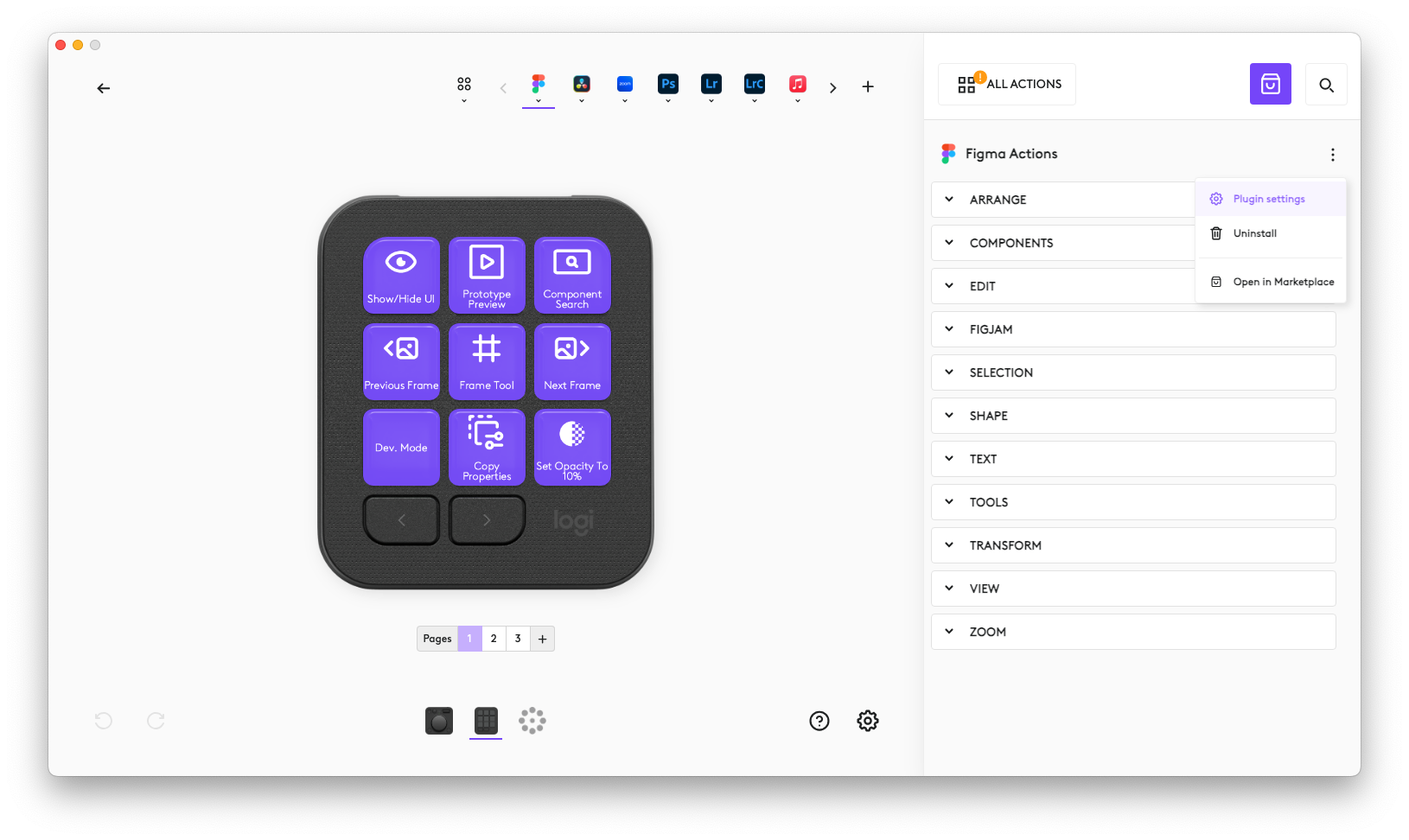
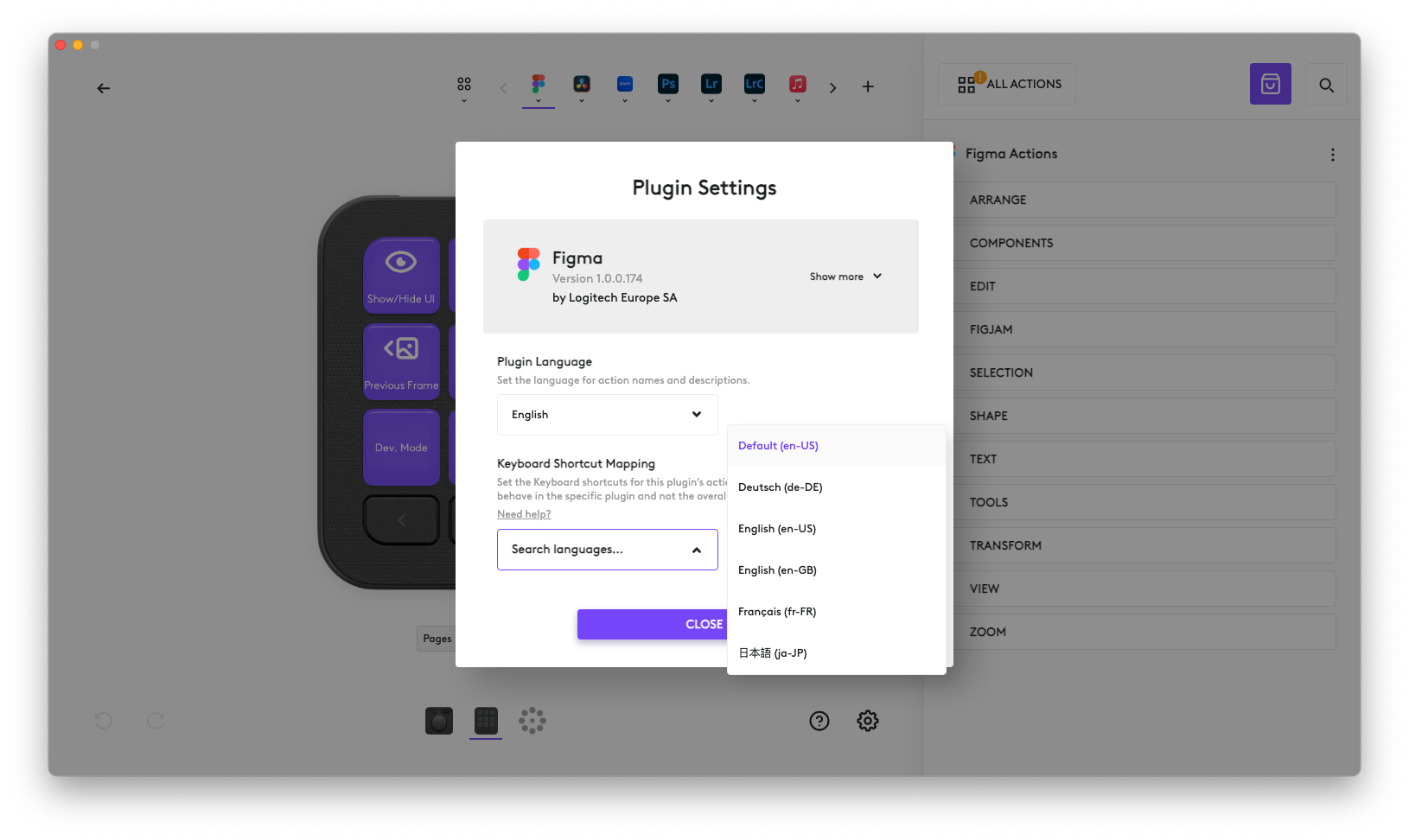
The default setting will be initially using the keyboard shortcut mapping that corresponds to the language of the Options+ language, but you can manually select another mapping from the dropdown.
Note: Not all plugins support many different mappings, but we are constantly updating the plugins to add new mappings over time.
Aviso importante: Logitech ya no ofrece asistencia ni mantenimiento para la herramienta de actualización de firmware. Le recomendamos usar Logi Options+ para poner al día sus dispositivos Logitech compatibles. Estamos aquí para ayudarle durante esta transición.
Aviso importante: Logitech ya no ofrece asistencia ni mantenimiento para Logitech Preference Manager. Le recomendamos usar Logi Options+ para poner al día sus dispositivos Logitech compatibles. Estamos aquí para ayudarle durante esta transición.
Aviso importante: Logitech ya no ofrece asistencia ni mantenimiento para Logitech Control Center. Le recomendamos usar Logi Options+ para poner al día sus dispositivos Logitech compatibles. Estamos aquí para ayudarle durante esta transición.
Aviso importante: Logitech ya no ofrece asistencia ni mantenimiento para Logitech Connection Utility. Le recomendamos usar Logi Options+ para poner al día sus dispositivos Logitech compatibles. Estamos aquí para ayudarle durante esta transición.
Aviso importante: Logitech ya no ofrece asistencia ni mantenimiento para el software Unifying. Le recomendamos usar Logi Options+ para poner al día sus dispositivos Logitech compatibles. Estamos aquí para ayudarle durante esta transición.
Aviso importante: Logitech ya no ofrece asistencia ni mantenimiento para el software SetPoint. Le recomendamos usar Logi Options+ para poner al día sus dispositivos Logitech compatibles. Estamos aquí para ayudarle durante esta transición.
Preguntas frecuentes
No hay productos disponibles para esta sección
No hay descargas para este producto
No hay descargas para esta versión.
Compatible Product
