To reconnect the Wireless Gamepad F710 to its receiver:
-
Download the connect utility from F710 Download Page.
-
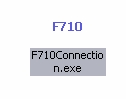
Go to the location where you saved the F710 utility and double-click on the icon.
-
Read and follow the instructions on the Welcome screen before you click continue.
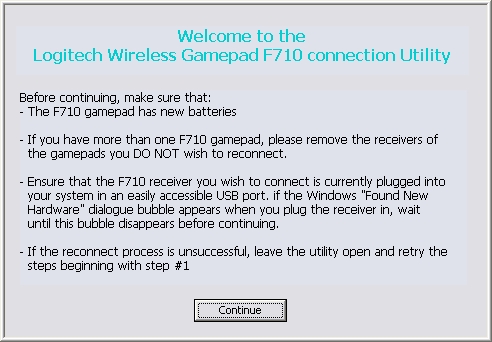
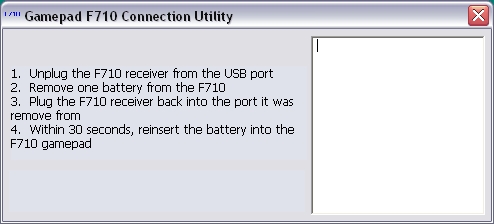
After you click Continue, the main Connection Utility window will display. The screen will look like this for on-screen steps 1 and 2.
-
Complete the on-screen steps.
NOTE: Once you plug the receiver back in for on-screen step 2, the window will update and you'll have 30 seconds to reinsert the battery. Be sure to do this in the time allotted before the on-screen countdown reaches "0".
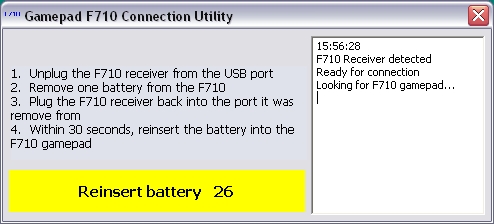
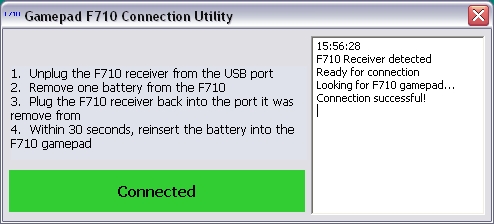
When the gamepad connects successfully, you'll see a green highlighted area that that reads "Connected".
If the reconnect process is not successful, you'll see a window with a red highlighted area at the bottom that reads "Unsuccessful. Please try again.".
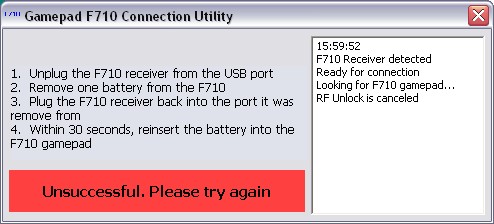
If the reconnection process is unsuccessful:
-
Try following the connection steps above again.
-
Try holding the gamepad within three (3) feet of the receiver.
-
Make sure you're using new batteries.
Contact information
If you're unable to reconnect your F710 gamepad, see Knowledge Base article 21368 for how to contact support about this product.
Pemberitahuan Penting: Alat Pembaruan Firmware tidak lagi didukung atau dikelola oleh Logitech. Kami sangat merekomendasikan penggunaan Logi Options+ untuk perangkat Logitech yang didukung. Kami siap membantu Anda selama masa transisi ini.
Pemberitahuan Penting: Manajer Preferensi Logitech tidak lagi didukung atau dikelola oleh Logitech. Kami sangat merekomendasikan penggunaan Logi Options+ untuk perangkat Logitech yang didukung. Kami siap membantu Anda selama masa transisi ini.
Pemberitahuan Penting: Logitech Control Center tidak lagi didukung atau dikelola oleh Logitech. Kami sangat merekomendasikan penggunaan Logi Options+ untuk perangkat Logitech yang didukung. Kami siap membantu Anda selama masa transisi ini.
Pemberitahuan Penting: Utilitas Koneksi Logitech tidak lagi didukung atau dikelola oleh Logitech. Kami sangat merekomendasikan penggunaan Logi Options+ untuk perangkat Logitech yang didukung. Kami siap membantu Anda selama masa transisi ini.
Pemberitahuan Penting: Perangkat Lunak Unifying tidak lagi didukung atau dipelihara oleh Logitech. Kami sangat merekomendasikan penggunaan Logi Options+ untuk perangkat Logitech yang didukung. Kami siap membantu Anda selama masa transisi ini.
Pemberitahuan Penting: Perangkat lunak SetPoint tidak lagi didukung atau dipelihara oleh Logitech. Kami sangat merekomendasikan penggunaan Logi Options+ untuk perangkat Logitech yang didukung. Kami siap membantu Anda selama masa transisi ini.
Frequently Asked Questions
Tidak ada produk yang tersedia untuk bagian ini
Tidak ada Unduhan untuk Produk ini
Tidak ada Unduhan untuk Versi ini.
Compatible Product
