The Logi Options+ app can be used to pair and unpair your Logi Bolt keyboard.
NOTE: Make sure you have the Logi Options+ app installed first. You can download the Logi Options+ from Software support or from business support downloads.
Pairing a Logi Bolt keyboard
- Open Logi Options+ and click Add Device on the upper right corner.
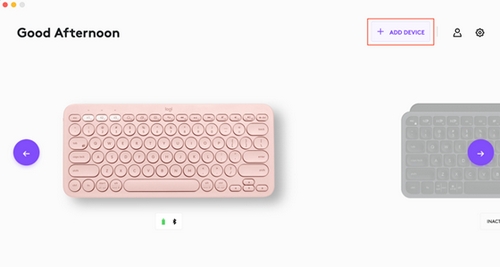
You will see the connection type selection panel. Choose the Logi Bolt receiver option.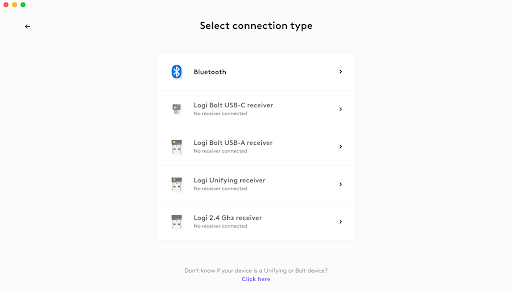
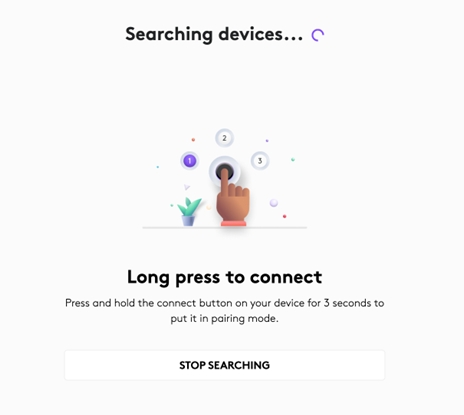
- On your Logi Bolt keyboard, long-press the connect button for three seconds until the light blinks rapidly. The Logi Options+ app will start searching for the device.
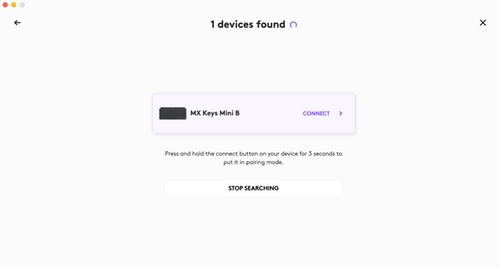
- The Logi Options+ app will now detect your Logi Bolt keyboard. To connect, press the CONNECT option next to the name of your device.
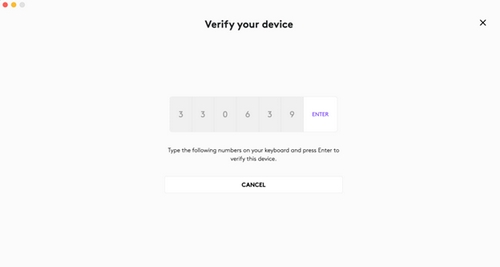
- Using your keyboard, enter the numbers shown on the app to verify the device.
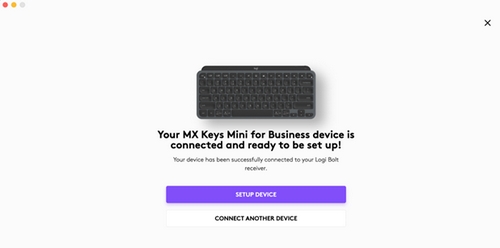
- If you typed the verification numbers correctly and press Enter, you'll get a notification that your device is connected. The keyboard should now work. Click Continue to finish the pairing process.
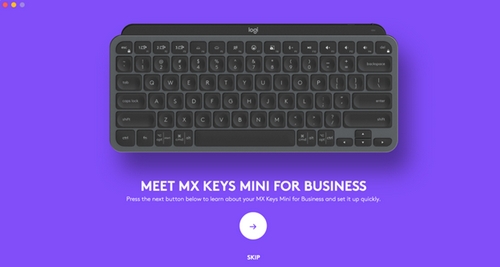
- Logi Options+ will show that your device is connected, how it is connected, and the battery life. You can also read more information about the product. Once the connection is ready, you can close the Logi Options+ app.
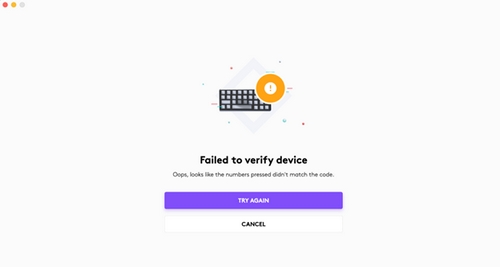
- If you typed the verification numbers incorrectly, you will get a notification that your device has failed to be verified. You can try to connect again by entering the correct verification numbers.
Unpairing a Logi Bolt keyboard
To unpair a Logi Bolt keyboard:
- Open the Logi Options+ app, click on the trash can icon next to your device, then click on the trash can icon to remove the device.
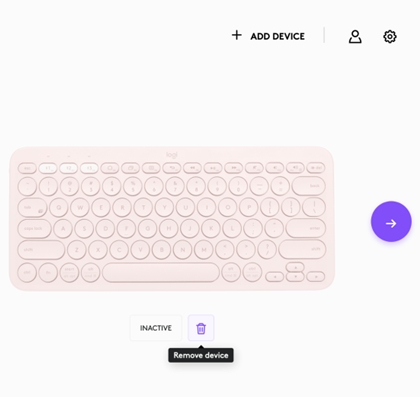
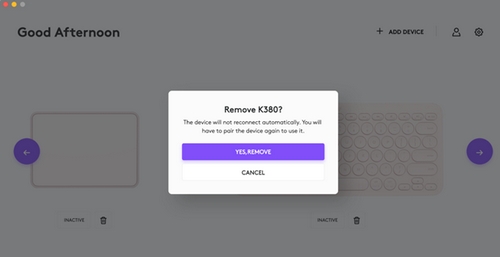
IMPORTANT: To safely remove a Logi Bolt device, it is recommended to remove it while the device is activated. Once it’s removed, the device should be unpaired. - Click YES, REMOVE to confirm unpairing. Your device has now been unpaired.
중요 고지: Logitech은 펌웨어 업데이트 도구를 더 이상 지원하거나 유지보수하지 않습니다. 지원되는 Logitech 장치 에는 Logi Options+ 사용을 적극 권장합니다. 전환 과정에서 도움이 필요하시면 언제든지 도와드리겠습니다.
중요 고지: Logitech은 Logitech Preference Manager를 더 이상 지원하거나 유지보수하지 않습니다. 지원되는 Logitech 장치에는 Logi Options+ 사용을 적극 권장합니다. 전환 과정에서 도움이 필요하시면 언제든지 도와드리겠습니다.
중요 고지: Logitech은 Logitech Control Center를 더이상 지원하거나 유지보수하지 않습니다. 지원되는 Logitech 장치에는 Logi Options+ 사용을 적극 권장합니다. 전환 과정에서 도움이 필요하시면 언제든지 도와드리겠습니다.
중요 고지: Logitech은 Logitech Connection Utility를 더이상 지원하거나 유지보수하지 않습니다. 지원되는 Logitech 장치에는 Logi Options+ 사용을 적극 권장합니다. 전환 과정에서 도움이 필요하시면 언제든지 도와드리겠습니다.
중요 고지: Unifying 소프트웨어는 더 이상 Logitech에서 지원하거나 유지보수하지 않습니다. 지원되는 Logitech 장치에는 Logi Options+를 사용하는 것을 적극 권장합니다. 전환 과정에서 도움이 필요하시면 언제든지 도와드리겠습니다.
중요 고지: Logitech은 SetPoint 소프트웨어를 더 이상 지원하지 않습니다. 지원되는 Logitech 장치에는 Logi Options+ 사용을 적극 권장합니다. 전환 과정에서 도움이 필요하시면 언제든지 도와드리겠습니다.
FAQ(자주 묻는 질문)
이 섹션에 사용할 수있는 제품이 없습니다
이 제품에 대한 다운로드가 없습니다.
이 버전에 대한 다운로드가 없습니다.
Compatible Product
