You can update your UE FITS software through the UE FITS app (iOS/Android).
Ensure you have the latest version of the UE FITS app before attempting to update. You can check that your app is up-to-date by visiting the App Store on iOS or the Google Play store on Android.”
To update go to the menu inside the UE FITS app, by selecting the hamburger icon in the top left, and select Support. Make sure you have the latest version of the UE FITS app before attempting to update. You can check that your app is up-to-date by visiting the App Store on iOS or the Google Play store on Android.
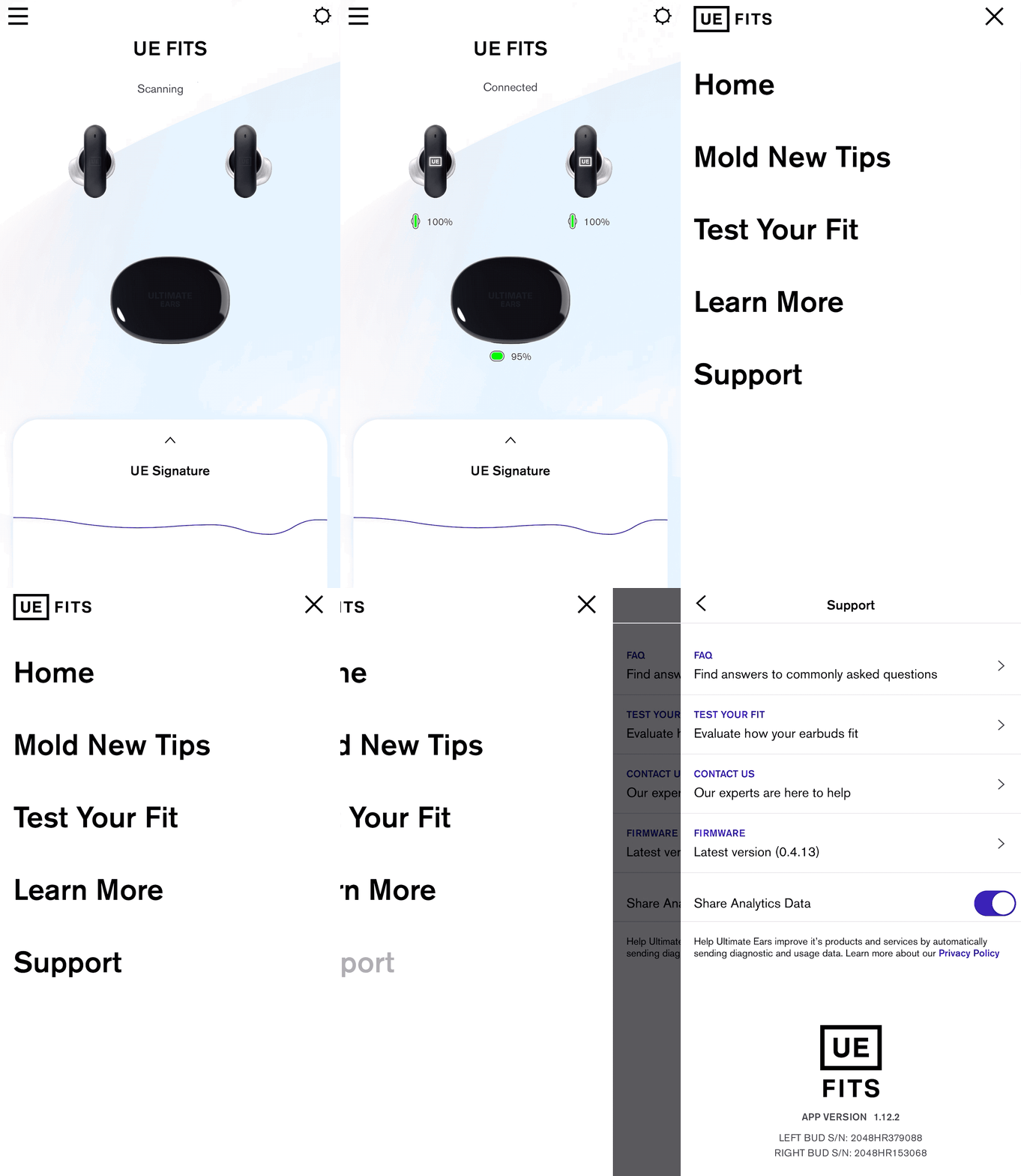
If there is an update available, under Firmware it will say Version (version number) Update Available. If you already have the latest firmware it will say “up to date.” If an update is available click on the arrow to begin the update process.
Once you click update earbuds, follow the instructions, leave the case lid open and the earbuds in the case and let it work its magic. Make sure to leave the app open.
NOTE: Closing the App or the case lid will interrupt the firmware update.
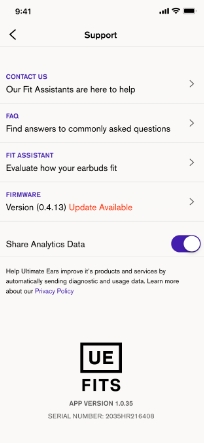
NOTE: If you accidentally close the app while the firmware is updating, simply open the app again and follow the instructions to start the upgrade process again. Once the update is successfully completed, you will be automatically taken back to the Settings screen. The Firmware description should say that you have the Latest Version.
중요 고지: Logitech은 펌웨어 업데이트 도구를 더 이상 지원하거나 유지보수하지 않습니다. 지원되는 Logitech 장치 에는 Logi Options+ 사용을 적극 권장합니다. 전환 과정에서 도움이 필요하시면 언제든지 도와드리겠습니다.
중요 고지: Logitech은 Logitech Preference Manager를 더 이상 지원하거나 유지보수하지 않습니다. 지원되는 Logitech 장치에는 Logi Options+ 사용을 적극 권장합니다. 전환 과정에서 도움이 필요하시면 언제든지 도와드리겠습니다.
중요 고지: Logitech은 Logitech Control Center를 더이상 지원하거나 유지보수하지 않습니다. 지원되는 Logitech 장치에는 Logi Options+ 사용을 적극 권장합니다. 전환 과정에서 도움이 필요하시면 언제든지 도와드리겠습니다.
중요 고지: Logitech은 Logitech Connection Utility를 더이상 지원하거나 유지보수하지 않습니다. 지원되는 Logitech 장치에는 Logi Options+ 사용을 적극 권장합니다. 전환 과정에서 도움이 필요하시면 언제든지 도와드리겠습니다.
중요 고지: Unifying 소프트웨어는 더 이상 Logitech에서 지원하거나 유지보수하지 않습니다. 지원되는 Logitech 장치에는 Logi Options+를 사용하는 것을 적극 권장합니다. 전환 과정에서 도움이 필요하시면 언제든지 도와드리겠습니다.
중요 고지: Logitech은 SetPoint 소프트웨어를 더 이상 지원하지 않습니다. 지원되는 Logitech 장치에는 Logi Options+ 사용을 적극 권장합니다. 전환 과정에서 도움이 필요하시면 언제든지 도와드리겠습니다.
FAQ(자주 묻는 질문)
이 섹션에 사용할 수있는 제품이 없습니다
이 제품에 대한 다운로드가 없습니다.
이 버전에 대한 다운로드가 없습니다.
Compatible Product
