The Logi Options+ app can be used to pair and unpair your Logi Bolt keyboard.
NOTE: Make sure you have the Logi Options+ app installed first. You can download the Logi Options+ from Software support or from business support downloads.
Pairing a Logi Bolt keyboard
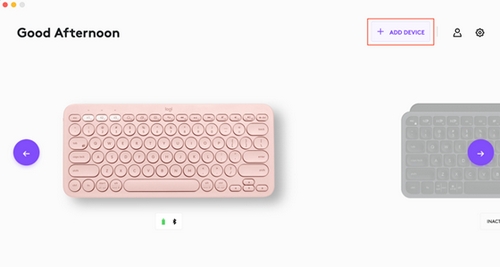
- Open Logi Options+ and click Add Device on the upper right corner.
You will see the connection type selection panel. Choose the Logi Bolt receiver option.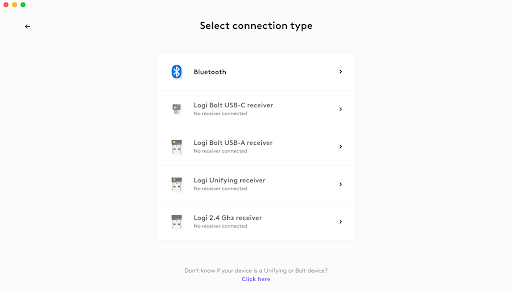
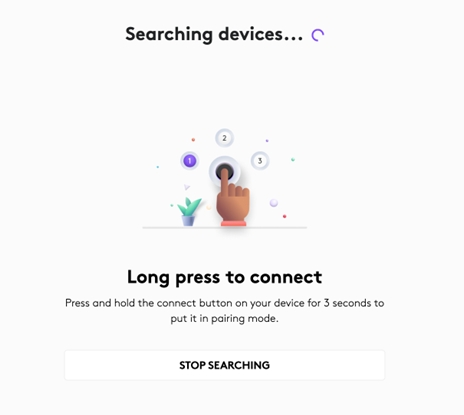
- On your Logi Bolt keyboard, long-press the connect button for three seconds until the light blinks rapidly. The Logi Options+ app will start searching for the device.
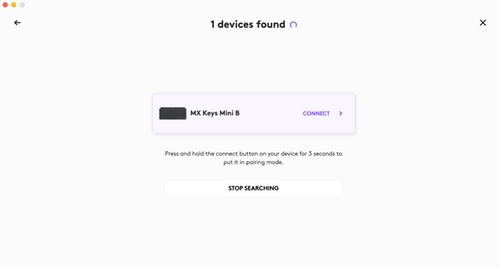
- The Logi Options+ app will now detect your Logi Bolt keyboard. To connect, press the CONNECT option next to the name of your device.
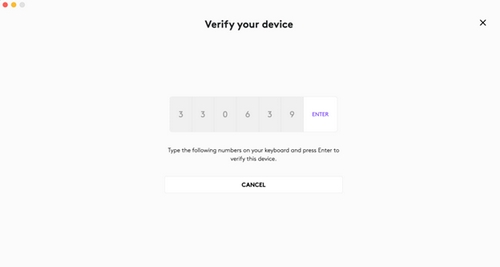
- Using your keyboard, enter the numbers shown on the app to verify the device.
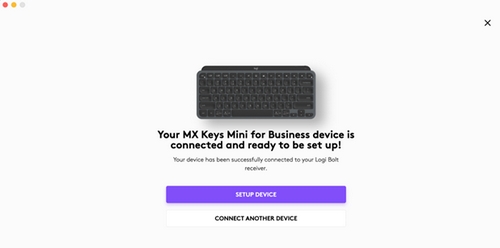
- If you typed the verification numbers correctly and press Enter, you'll get a notification that your device is connected. The keyboard should now work. Click Continue to finish the pairing process.
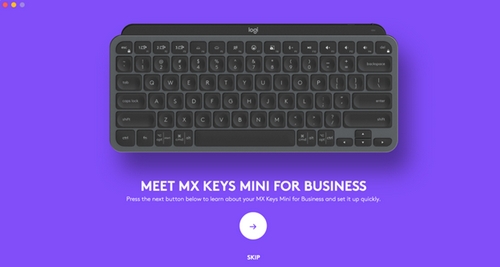
- Logi Options+ will show that your device is connected, how it is connected, and the battery life. You can also read more information about the product. Once the connection is ready, you can close the Logi Options+ app.
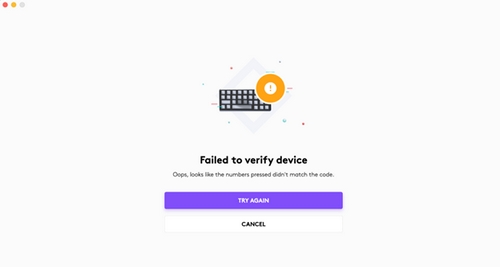
- If you typed the verification numbers incorrectly, you will get a notification that your device has failed to be verified. You can try to connect again by entering the correct verification numbers.
Unpairing a Logi Bolt keyboard
To unpair a Logi Bolt keyboard:
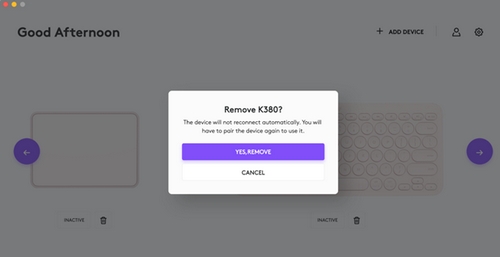
- Open the Logi Options+ app, click on the trash can icon next to your device, then click on the trash can icon to remove the device.
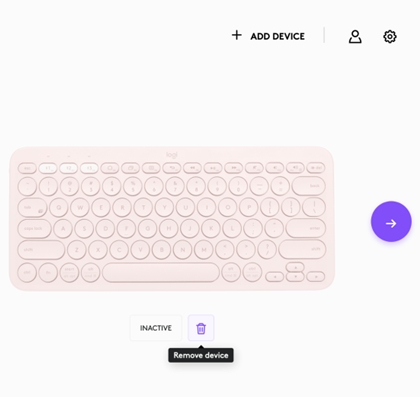
IMPORTANT: To safely remove a Logi Bolt device, it is recommended to remove it while the device is activated. Once it’s removed, the device should be unpaired. - Click YES, REMOVE to confirm unpairing. Your device has now been unpaired.
Ważna uwaga: Narzędzie do aktualizacji oprogramowania układowego nie jest już objęte wsparciem firmy Logitech ani nie jest przez nią utrzymywane. Zdecydowanie zalecamy korzystanie z aplikacji Logi Options+ w przypadku wspieranych urządzeń firmy Logitech. Chętnie służymy pomocą w tym okresie przejściowym.
Ważna uwaga: Oprogramowanie Logitech Preference Manager nie jest już objęte wsparciem firmy Logitech ani nie jest przez nią utrzymywane. Zdecydowanie zalecamy korzystanie z aplikacji Logi Options+ w przypadku wspieranych urządzeń firmy Logitech. Chętnie służymy pomocą w tym okresie przejściowym.
Ważna uwaga: Oprogramowanie Logitech Control Center nie jest już objęte wsparciem firmy Logitech ani nie jest przez nią utrzymywane. Zdecydowanie zalecamy korzystanie z aplikacji Logi Options+ w przypadku wspieranych urządzeń firmy Logitech. Chętnie służymy pomocą w tym okresie przejściowym.
Ważna uwaga: Oprogramowanie Logitech Connection Utility nie jest już objęte wsparciem firmy Logitech ani nie jest przez nią utrzymywane. Zdecydowanie zalecamy korzystanie z aplikacji Logi Options+ w przypadku wspieranych urządzeń firmy Logitech. Chętnie służymy pomocą w tym okresie przejściowym.
Ważna uwaga: Oprogramowanie Unifying nie jest już objęte wsparciem firmy Logitech ani nie jest przez nią utrzymywane. Zdecydowanie zalecamy korzystanie z aplikacji Logi Options+ w przypadku wspieranych urządzeń firmy Logitech. Chętnie służymy pomocą w tym okresie przejściowym.
Ważna uwaga: Oprogramowanie SetPoint nie jest już obsługiwane ani obsługiwane przez firmę Logitech. Zdecydowanie zalecamy korzystanie z aplikacji Logi Options+ w przypadku wspieranych urządzeń firmy Logitech. Chętnie służymy pomocą w tym okresie przejściowym.
Często zadawane pytania
Brak produktów dostępnych dla tej sekcji
Dla tego produktu nie są dostępne żadne pliki do pobrania
Brak plików do pobrania dla tej wersji.
Compatible Product
