Your right Jaybird RUN earbud is the master (main) earbud. The right earbud connects to your audio device and to the left earbud.
If you experience audio dropouts, try the following:
- Make sure your Jaybird RUN have the latest firmware. The v1.1 firmware update improves the Bluetooth connectivity of Jaybird RUN. If you are unsure what firmware version your RUN have, you can check here . To update your Jaybird RUN, download the Firmware Update Assistant here and follow the instructions.
- To minimize audio drop outs, try to reduce the distance between your right earbud and your audio device. For example, try to have your audio device in your right pocket or on your right arm if running with an arm band.
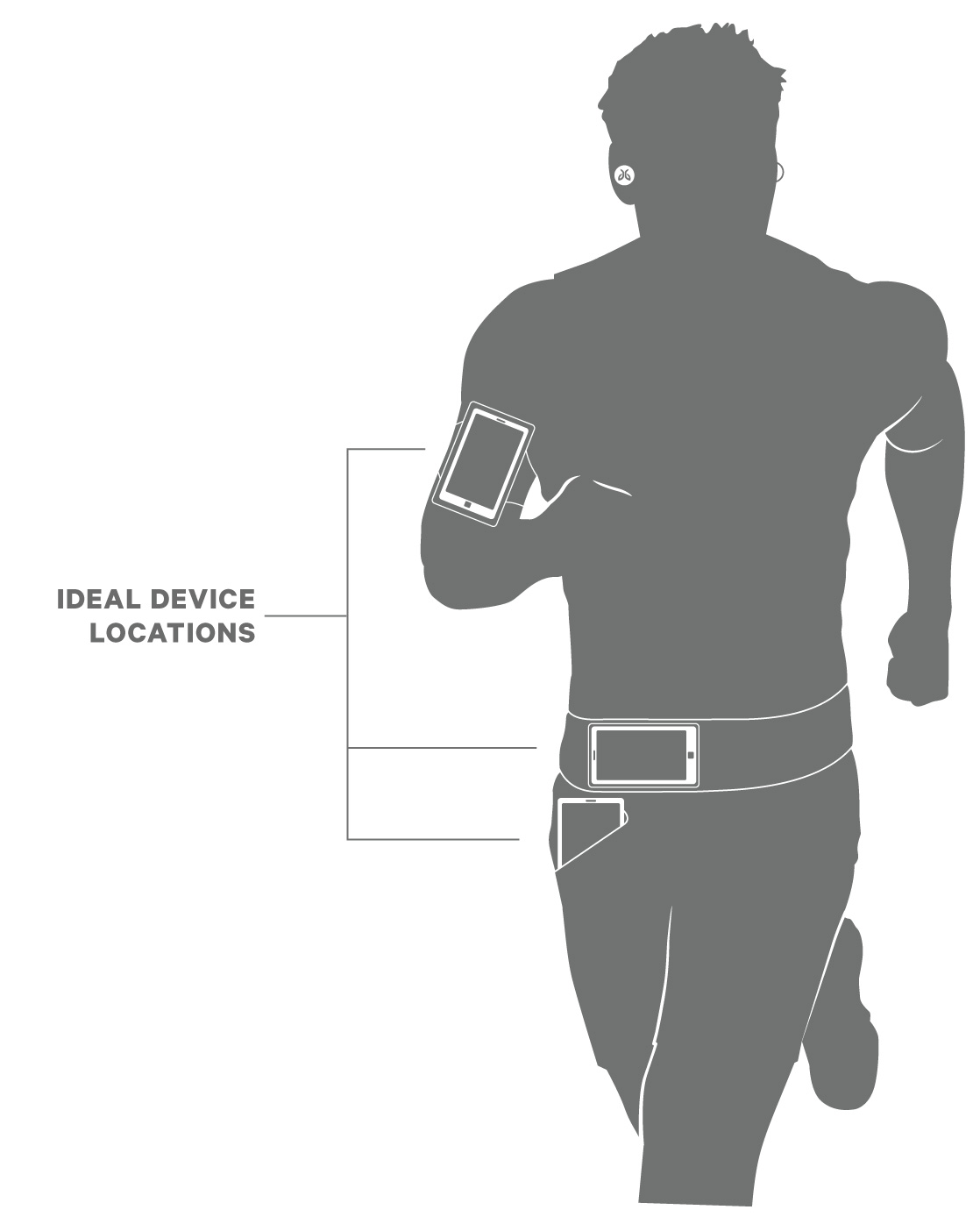
- While the range of most Bluetooth devices is 10 meters (33 feet), the optimal range for any Bluetooth audio device is about 60 centimeters (2 feet) from the audio source.
- Some environments, cell phone towers, dense wifi networks, and other transmitting devices can interfere with your Bluetooth connection. If possible, try to move away from the area or devices.
- Reset your Bluetooth connection by turning your device's Bluetooth off for at least 10 seconds and then back on. Please note, turning Bluetooth off and back on quickly will not reset the connection.
- Complete a reset of your right earbud which will clear the list of devices that your earbuds are paired to. See How do I reset my RUN earbuds?
Observação Importante: A ferramenta de atualização de firmware não é mais suportada ou mantida pela Logitech. É altamente recomendável usar o Logi Options+ para seus dispositivos Logitech compatíveis. Estamos à sua disposição para ajudar com qualquer situação durante esta transição.
Observação Importante: O Logitech Preference Manager não é mais suportado ou mantido pela Logitech. É altamente recomendável usar o Logi Options+ para seus dispositivos Logitech compatíveis. Estamos à sua disposição para ajudar com qualquer situação durante esta transição.
Observação Importante: O Logitech Control Center não é mais suportado ou mantido pela Logitech. É altamente recomendável usar o Logi Options+ para seus dispositivos Logitech compatíveis. Estamos à sua disposição para ajudar com qualquer situação durante esta transição.
Observação Importante: O Logitech Connection Utility não é mais suportado ou mantido pela Logitech. É altamente recomendável usar o Logi Options+ para seus dispositivos Logitech compatíveis. Estamos à sua disposição para ajudar com qualquer situação durante esta transição.
Observação Importante: O Software Unifying não é mais suportado ou mantido pela Logitech. É altamente recomendável usar o Logi Options+ para seus dispositivos Logitech compatíveis. Estamos à sua disposição para ajudar com qualquer situação durante esta transição.
Observação Importante: O software SetPoint não é mais suportado ou mantido pela Logitech. É altamente recomendável usar o Logi Options+ para seus dispositivos Logitech compatíveis. Estamos à sua disposição para ajudar com qualquer situação durante esta transição.
PERGUNTAS FREQUENTES
Não há produtos disponíveis para esta seção
Não há Downloads para este produto
Não há downloads para esta versão.
Compatible Product
