When you try to install Logitech G HUB on your Mac, the installation seems to be stuck or does not progress. This can happen when your Mac's security settings are locked.
To unlock the settings:
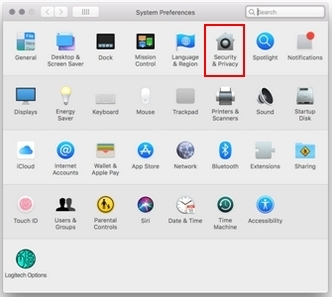
- Open System Preferences.
- Select Security & Privacy.
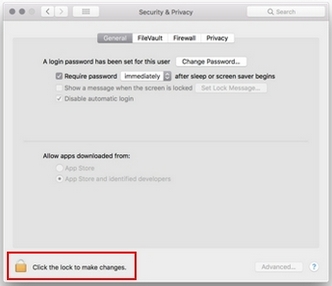
- On the bottom left of the window, select Click the lock to make changes.
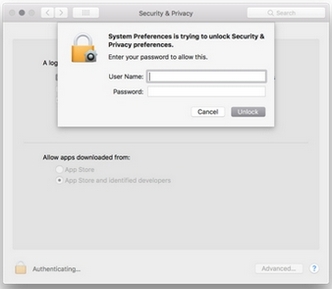
- Enter your User Name and Password.
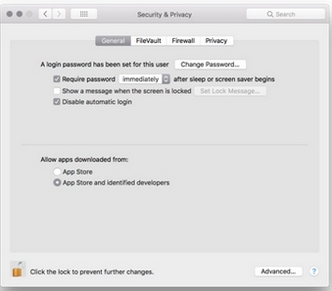
- The Security & Privacy settings are now unlocked and you should be able to install G HUB.
If you’re still unable to install, completely remove G HUB from your computer and then reinstall it.
Here's how:
- Open the Activity Monitor and search and do a Force Quit on the lghub process (<2022.11)
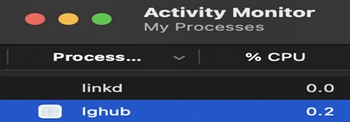
or G HUB Agent process (2022.11).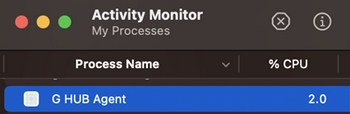
NOTE: Skip this step if neither process is running. - Go to Finder/Applications and uninstall the lghub app (skip this step if lghub is not listed).
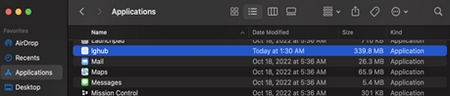
- Go to /Library/LaunchAgents and delete com.logi.ghub.plist.
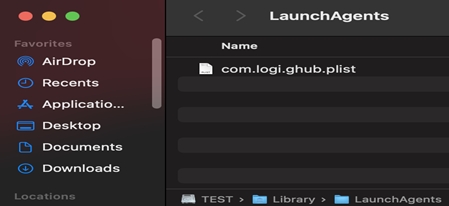
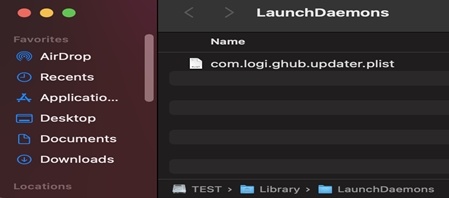
- Go to /Library/LaunchDaemons and delete com.logi.ghub.updater.plist.
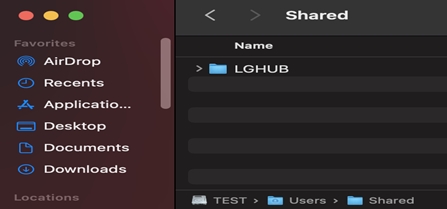
- Go to /Users/Shared and delete LGHUB.
- Restart your computer.
NOTE: DO NOT SKIP THIS STEP. - Reinstall G HUB.
Önemli Not: Ürün Yazılımı Güncelleme Aracı artık Logitech tarafından desteklenen veya bakımı yapılan bir ürün değildir. Desteklenen Logitech cihazlarınız için Logi Options+ kullanmanızı tavsiye ederiz. Bu geçiş sürecinde size yardımcı olmak için buradayız.
Önemli Not: Logitech Preference Manager artık Logitech tarafından desteklenmiyor veya bakımı sağlanmıyor. Desteklenen Logitech cihazlarınız için Logi Options+ kullanmanızı tavsiye ederiz. Bu geçiş sürecinde size yardımcı olmak için buradayız.
Önemli Not: Logitech Control Center, artık Logitech tarafından desteklenmiyor veya bakımı sağlanmıyor. Desteklenen Logitech cihazlarınız için Logi Options+ kullanmanızı tavsiye ederiz. Bu geçiş sürecinde size yardımcı olmak için buradayız.
Önemli Not: Logitech Connection Utility artık Logitech tarafından desteklenmiyor veya bakımı sağlanmıyor. Desteklenen Logitech cihazlarınız için Logi Options+ kullanmanızı tavsiye ederiz. Bu geçiş sürecinde size yardımcı olmak için buradayız.
Önemli Not: Unifying Yazılımı artık Logitech tarafından desteklenmiyor veya bakımı sağlanmıyor. Desteklenen Logitech cihazlarınız için Logi Options+ kullanmanızı tavsiye ederiz. Bu geçiş sürecinde size yardımcı olmak için buradayız.
Önemli Not: SetPoint yazılımı artık Logitech tarafından desteklenmemekte veya bu yazılımın bakımını yapmamaktadır. Desteklenen Logitech cihazlarınız için Logi Options+ kullanmanızı tavsiye ederiz. Bu geçiş sürecinde size yardımcı olmak için buradayız.
Sıkça Sorulan Sorular
Bu bölüme uygun ürün yok
Bu Ürün için Güncelleme yok
Bu Sürüm için İndirme yok.
Compatible Product
