No, you cannot mix LIGHTSPEED, AUX, and/or Bluetooth sources. However, the LIGHTSPEED adapter features a 3.5mm aux port where you can MUX in an AUX source into your LIGHTSPEED source. The AUX signal will MUX in at a fixed volume. Please follow the below steps to MUX in an AUX Source.
NOTE: Headset must be set up in Lightspeed mode.
- Plug one end of the included 3.5mm cable into the 3.5mm port of the wireless dongle.
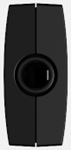
- Plug the other end of the included 3.5mm cable into the 3.5mm port of the audio source you’d like to MUX into the wireless signal.
重要提示:罗技不再对固件更新工具提供支持或维护。强烈推荐您将 Logi Options+ 用于受支持的罗技设备。在此过渡期间,我们将为您提供帮助。
重要提示:罗技不再对 Logitech Preference Manager 提供支持或维护。强烈推荐您将 Logi Options+ 用于受支持的罗技设备。在此过渡期间,我们将为您提供帮助。
重要提示:罗技不再对 Logitech Control Center 提供支持或维护。强烈推荐您将 Logi Options+ 用于受支持的罗技设备。在此过渡期间,我们将为您提供帮助。
重要提示:罗技不再对 Logitech Connection Utility 提供支持或维护。强烈推荐您将 Logi Options+ 用于受支持的罗技设备。在此过渡期间,我们将为您提供帮助。
重要提示:罗技不再对 Unifying 软件提供支持或维护。强烈推荐您将 Logi Options+ 用于受支持的罗技设备。在此过渡期间,我们将为您提供帮助。
重要提示:罗技不再支持或维护 SetPoint 软件。强烈推荐您将 Logi Options+ 用于受支持的罗技设备。在此过渡期间,我们将为您提供帮助。
常问问题
此部分没有可用的产品
没有此产品的相关下载内容
没有此版本的相关下载内容。
Compatible Product
