To create a new Smart Action,
- Click Create on the top right corner of the Templates or Manage tab.
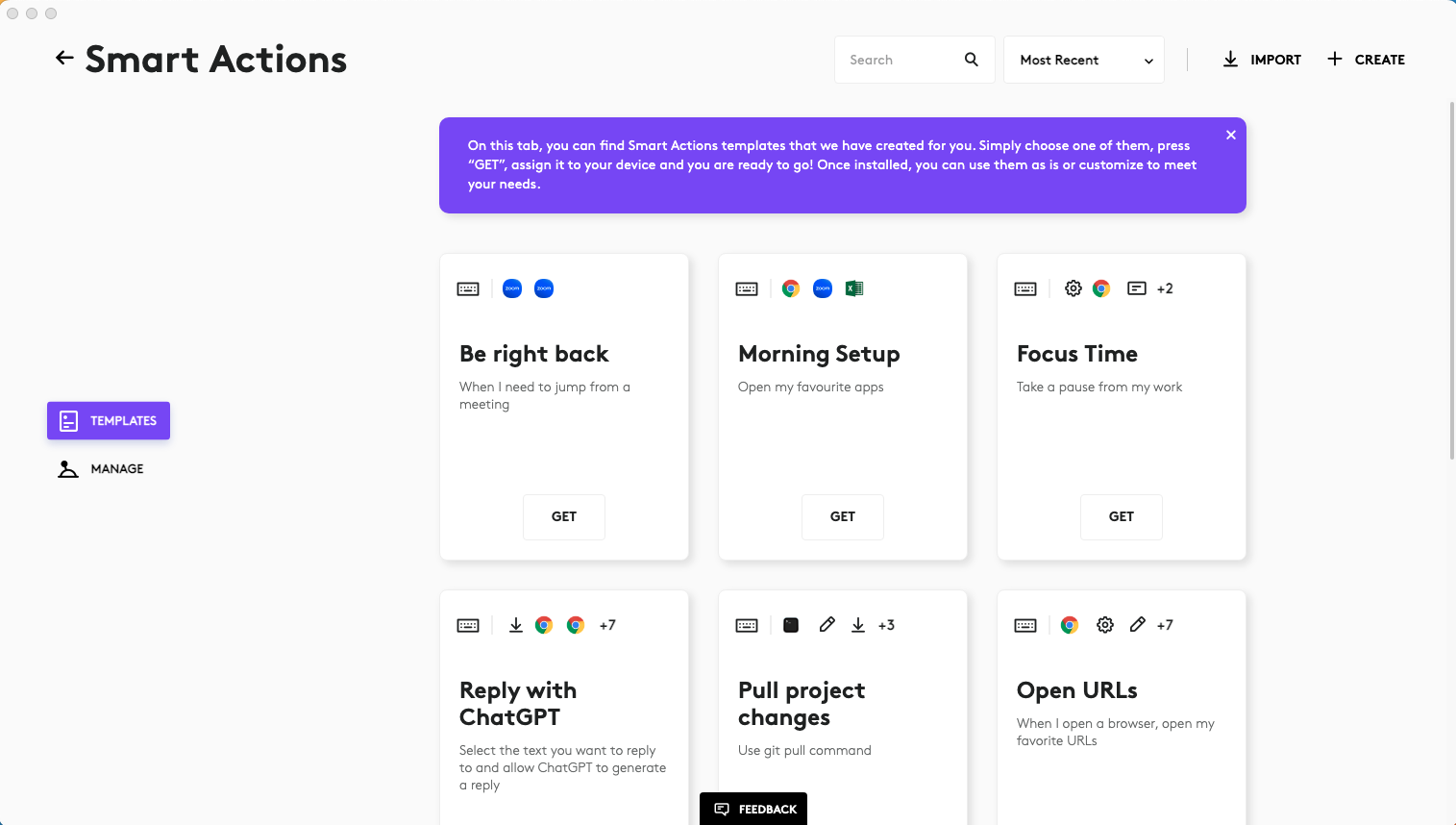
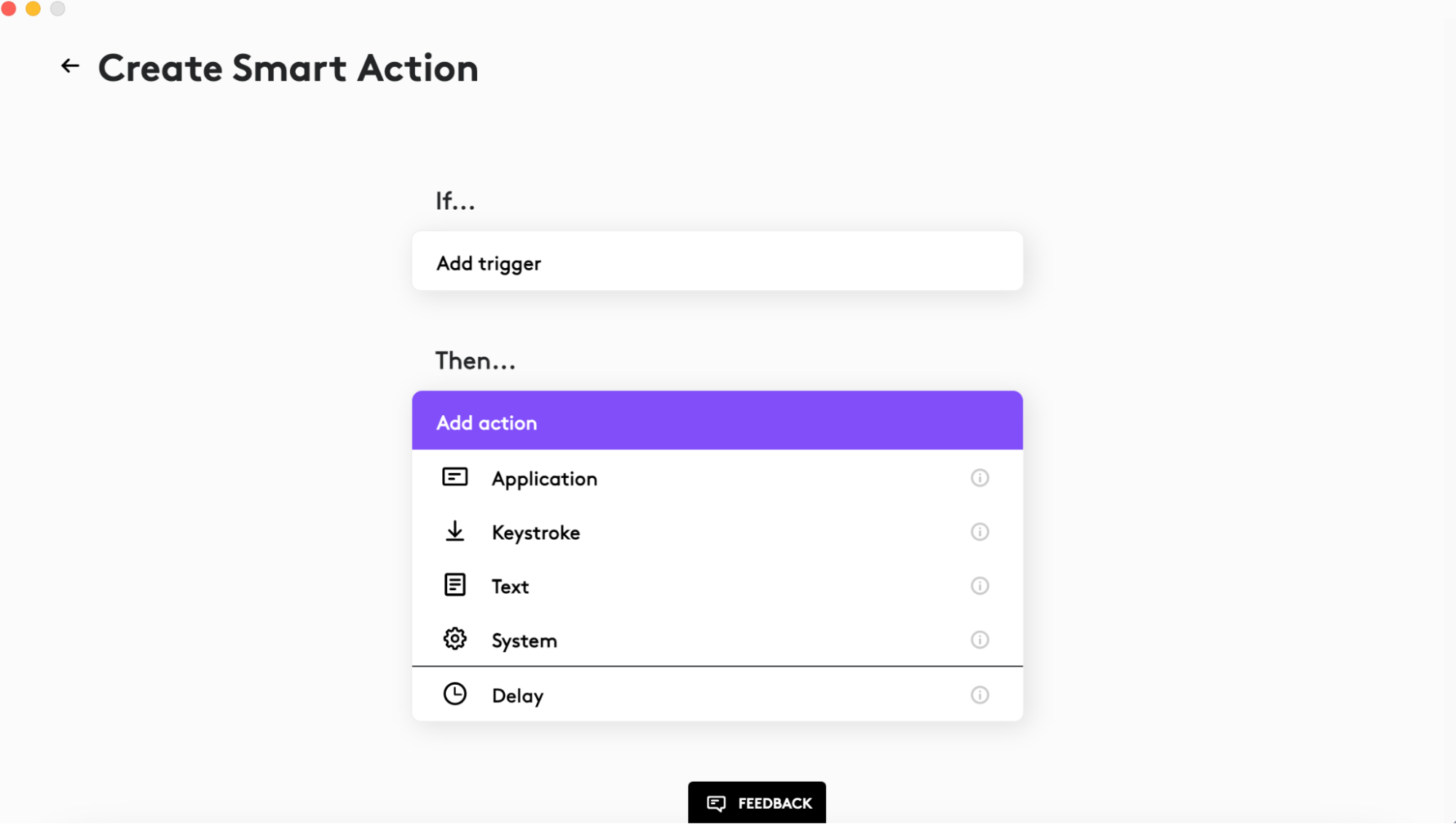
- In Edit mode you’ll see Smart Actions consists of triggers and actions. You’ll need to have at least one of each to have a functioning Smart Action.
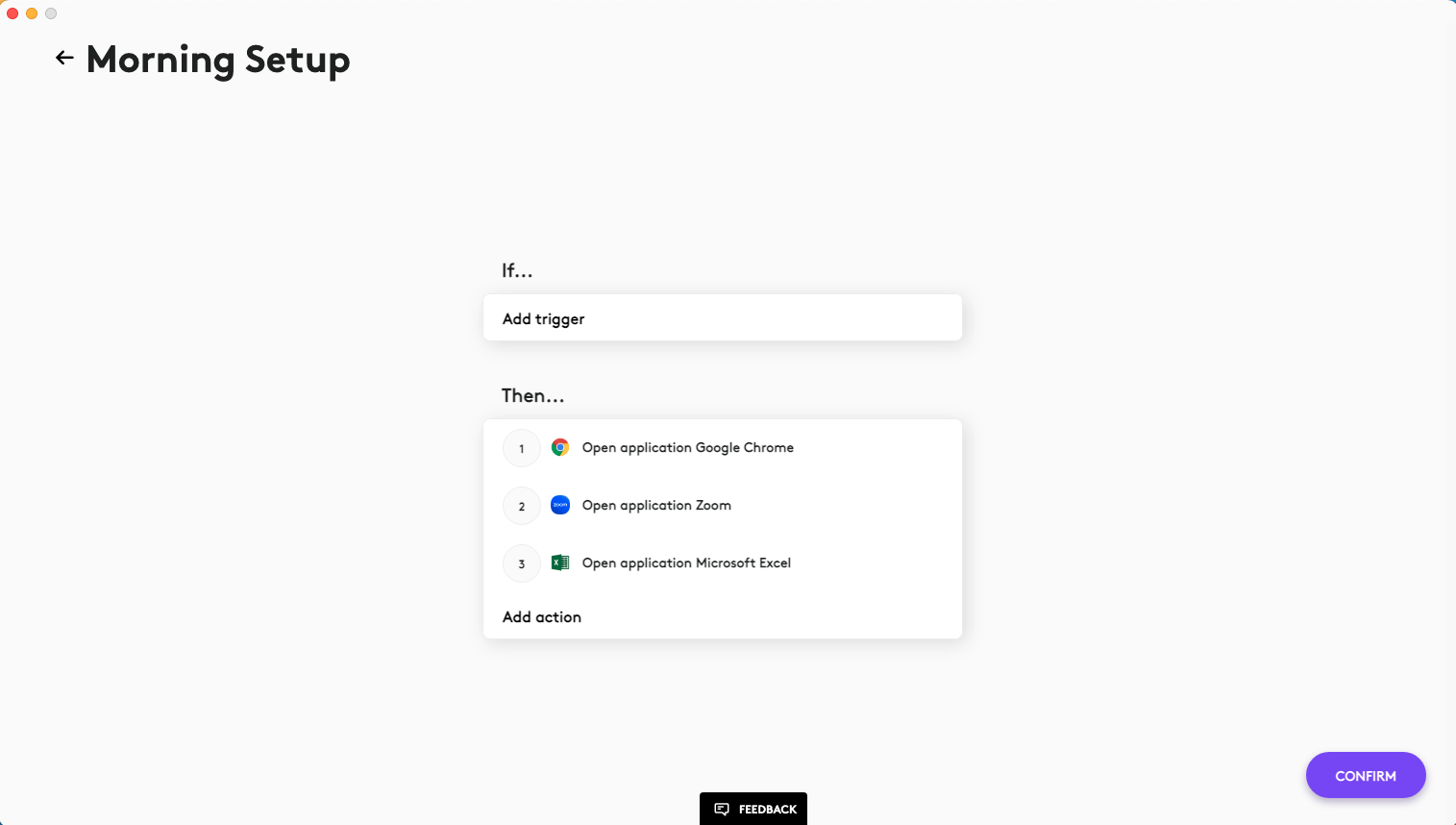
- To add a new trigger, click Add trigger, then select the trigger type from the dropdown list. Currently, Device, Console (is shown only if MX Creative Keypad and/or MX Creative Dialpad is connected), Actions Ring, and Shortcut triggers are available. Console and Actions Ring triggers can be assigned on the Console and Actions Ring device pages after Smart Actions plugin installation. If you have multiple triggers, the Smart Actions will be executed if you use any of them.
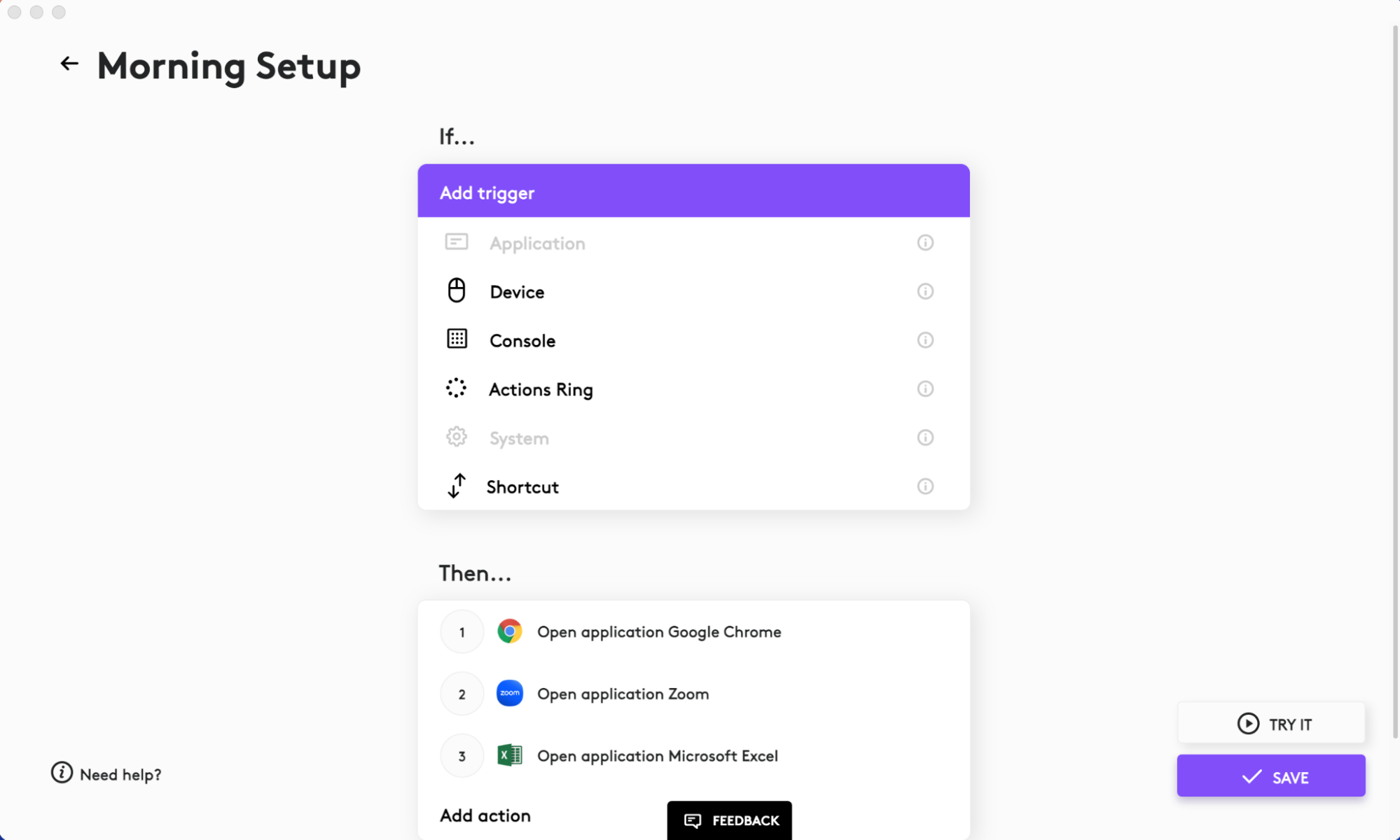
- To add an action click Add action, then select the action type from the dropdown list. You can set AI Prompt Builder, Application, Keystroke, Text, Haptic feedback (if MX Master 4 has been connected), and System actions. You can also set a Delay between those actions.
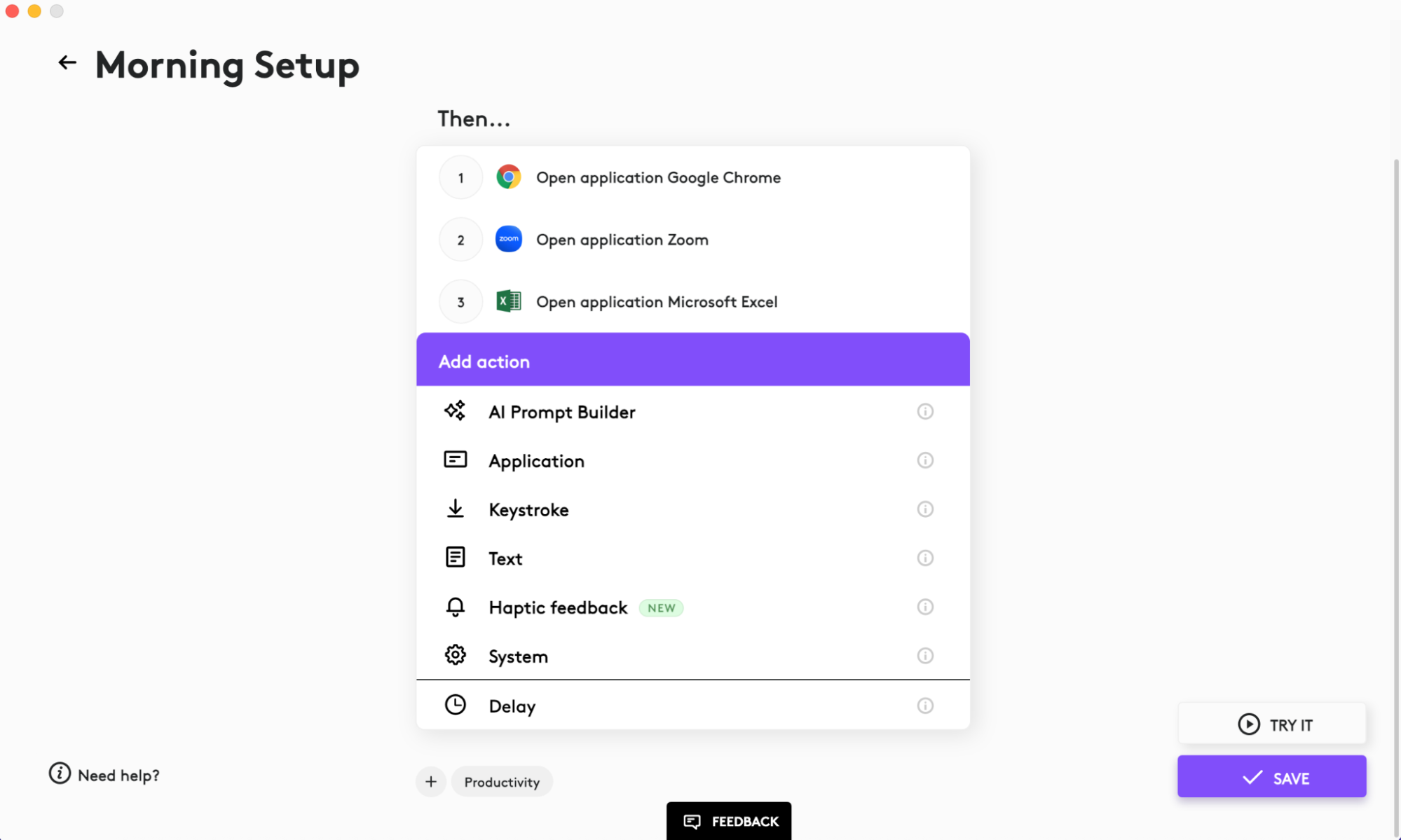
Adding a Delay is important for web based actions. For example, if you want to open a new browser tab in Google Chrome, the system needs time to perform the action. We recommend adding a 1 second delay for these types of actions.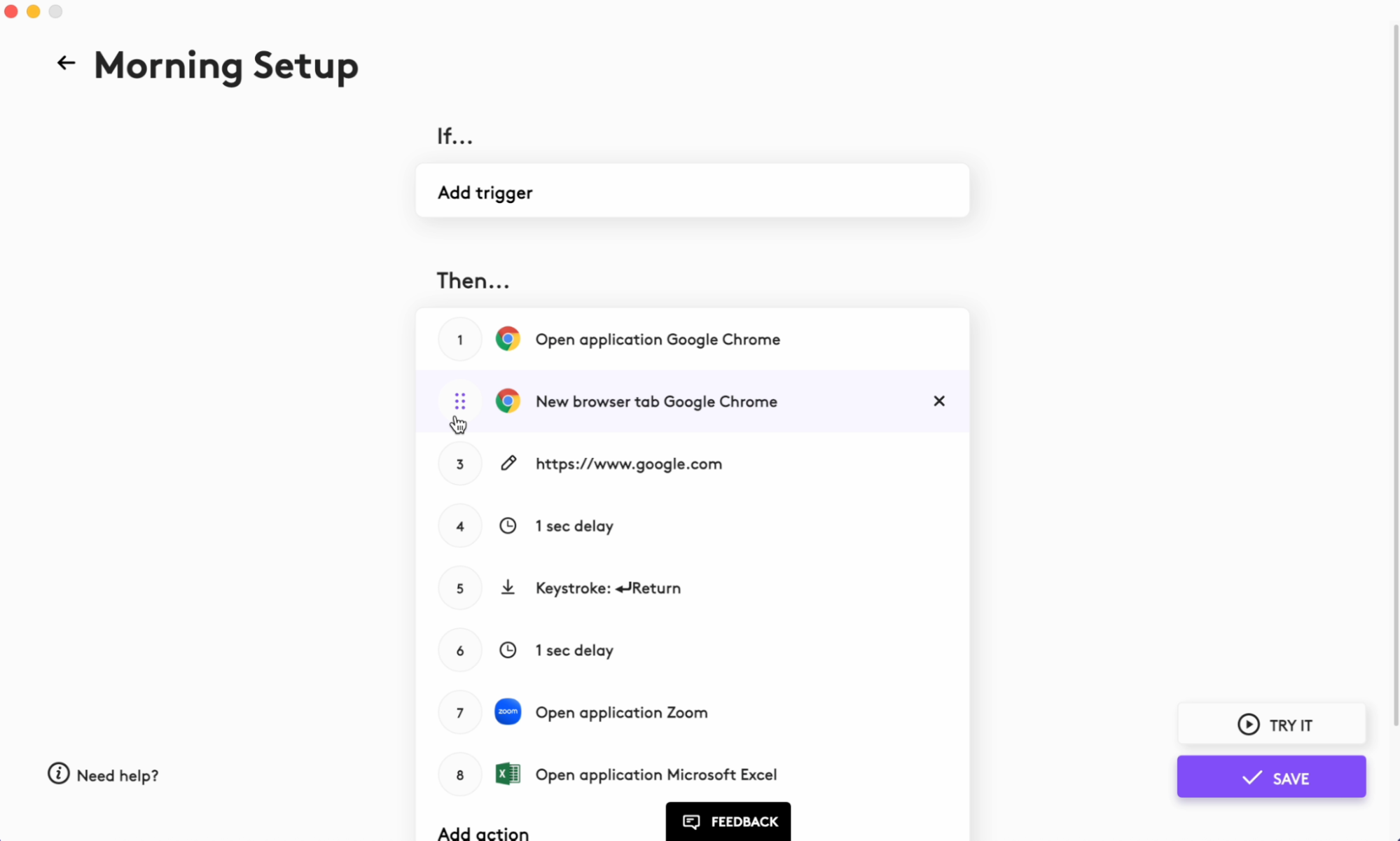
- Actions that you add to the Smart Actions will be executed one by one in order. You can use drag and drop to reorder their execution.
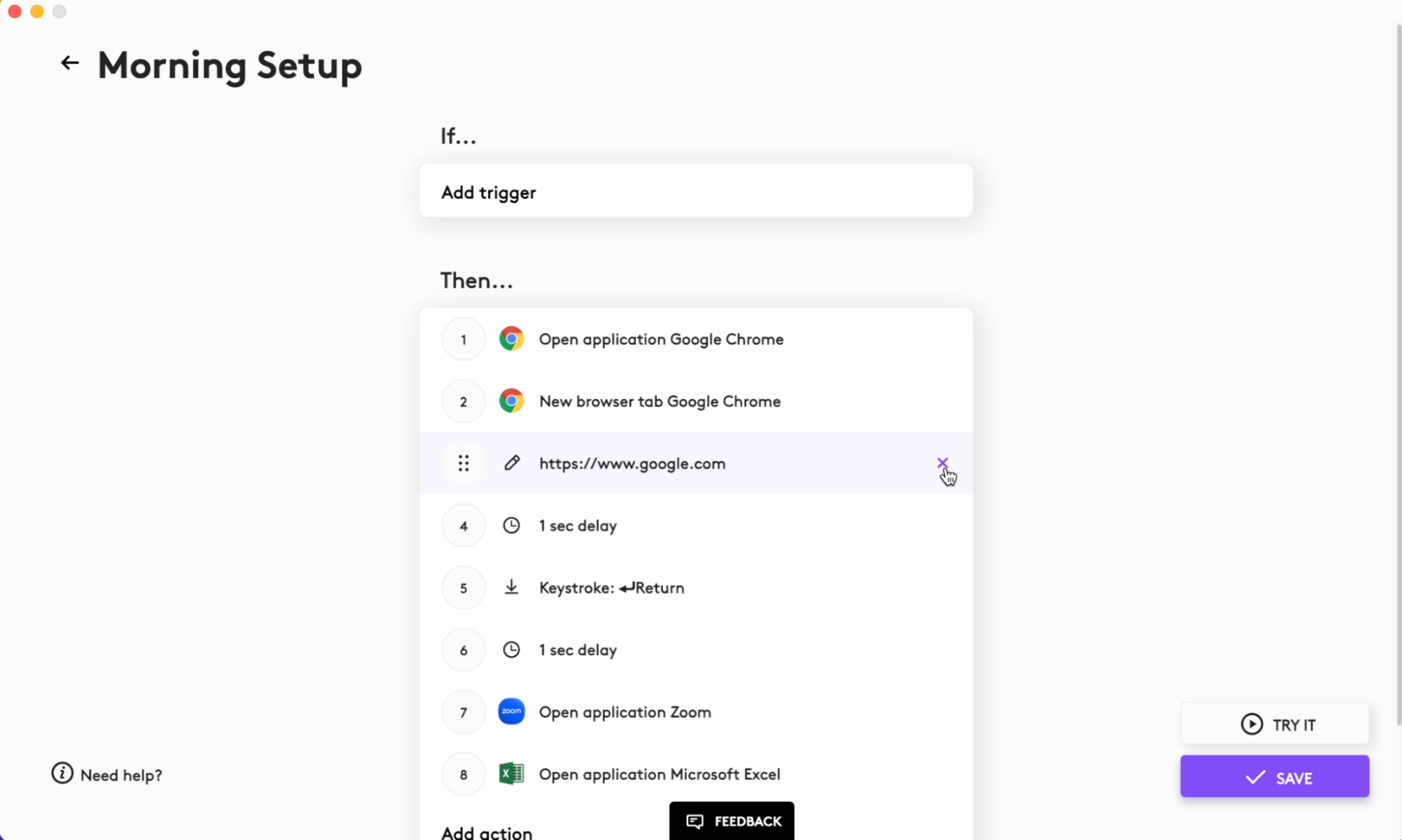
- Triggers and actions can be deleted by clicking on the X button on the right side of the item. If you click on an existing trigger or action line you can edit it.
重要提示:罗技不再对固件更新工具提供支持或维护。强烈推荐您将 Logi Options+ 用于受支持的罗技设备。在此过渡期间,我们将为您提供帮助。
重要提示:罗技不再对 Logitech Preference Manager 提供支持或维护。强烈推荐您将 Logi Options+ 用于受支持的罗技设备。在此过渡期间,我们将为您提供帮助。
重要提示:罗技不再对 Logitech Control Center 提供支持或维护。强烈推荐您将 Logi Options+ 用于受支持的罗技设备。在此过渡期间,我们将为您提供帮助。
重要提示:罗技不再对 Logitech Connection Utility 提供支持或维护。强烈推荐您将 Logi Options+ 用于受支持的罗技设备。在此过渡期间,我们将为您提供帮助。
重要提示:罗技不再对 Unifying 软件提供支持或维护。强烈推荐您将 Logi Options+ 用于受支持的罗技设备。在此过渡期间,我们将为您提供帮助。
重要提示:罗技不再支持或维护 SetPoint 软件。强烈推荐您将 Logi Options+ 用于受支持的罗技设备。在此过渡期间,我们将为您提供帮助。
常问问题
此部分没有可用的产品
没有此产品的相关下载内容
没有此版本的相关下载内容。
显示全部下载
Compatible Product
