Your right Jaybird RUN earbud is the master (main) earbud. The right earbud connects to your audio device and to the left earbud.
If you experience audio dropouts, try the following:
- Make sure your Jaybird RUN have the latest firmware. The v1.1 firmware update improves the Bluetooth connectivity of Jaybird RUN. If you are unsure what firmware version your RUN have, you can check here . To update your Jaybird RUN, download the Firmware Update Assistant here and follow the instructions.
- To minimize audio drop outs, try to reduce the distance between your right earbud and your audio device. For example, try to have your audio device in your right pocket or on your right arm if running with an arm band.
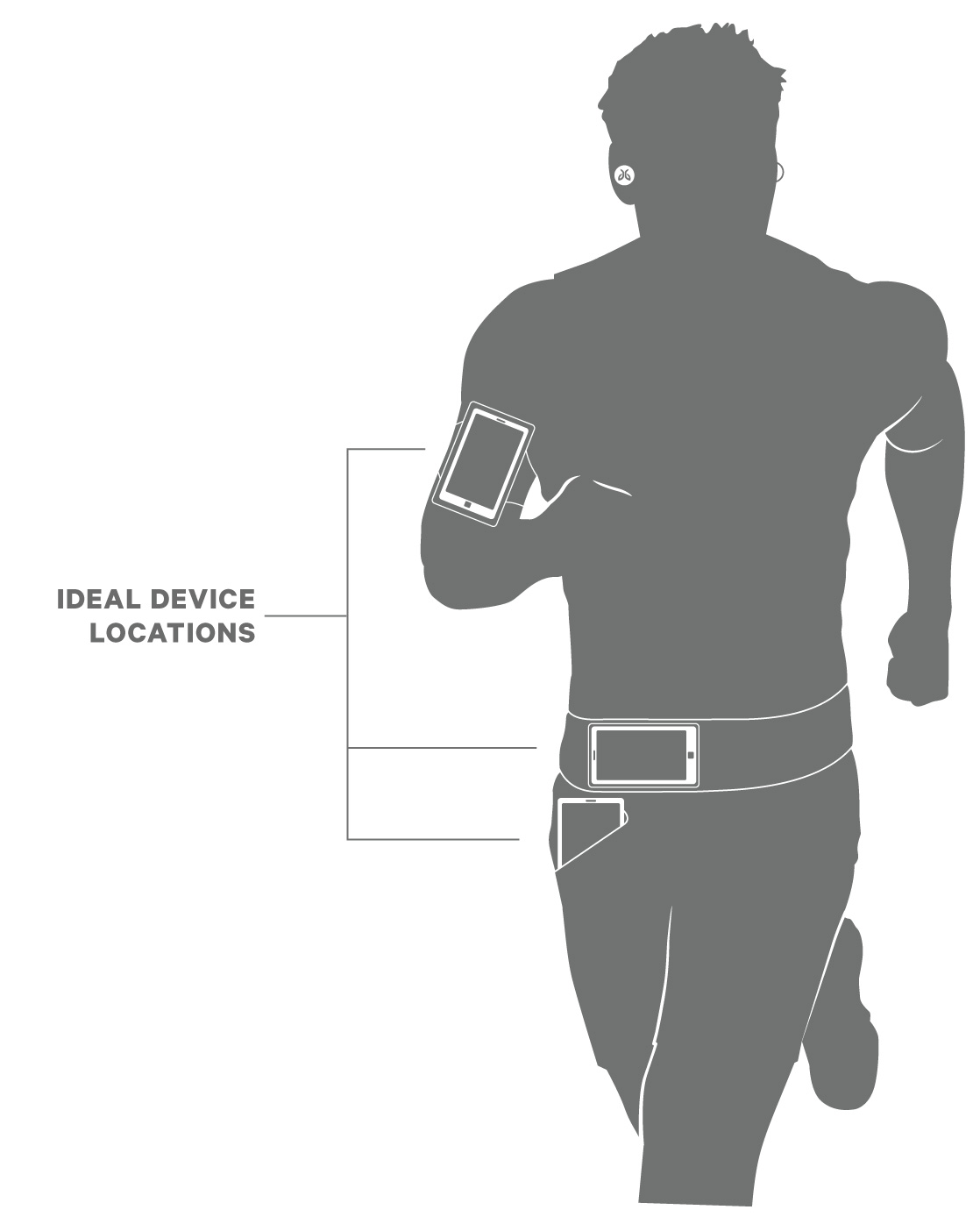
- While the range of most Bluetooth devices is 10 meters (33 feet), the optimal range for any Bluetooth audio device is about 60 centimeters (2 feet) from the audio source.
- Some environments, cell phone towers, dense wifi networks, and other transmitting devices can interfere with your Bluetooth connection. If possible, try to move away from the area or devices.
- Reset your Bluetooth connection by turning your device's Bluetooth off for at least 10 seconds and then back on. Please note, turning Bluetooth off and back on quickly will not reset the connection.
- Complete a reset of your right earbud which will clear the list of devices that your earbuds are paired to. See How do I reset my RUN earbuds?
重要提示:罗技不再对固件更新工具提供支持或维护。强烈推荐您将 Logi Options+ 用于受支持的罗技设备。在此过渡期间,我们将为您提供帮助。
重要提示:罗技不再对 Logitech Preference Manager 提供支持或维护。强烈推荐您将 Logi Options+ 用于受支持的罗技设备。在此过渡期间,我们将为您提供帮助。
重要提示:罗技不再对 Logitech Control Center 提供支持或维护。强烈推荐您将 Logi Options+ 用于受支持的罗技设备。在此过渡期间,我们将为您提供帮助。
重要提示:罗技不再对 Logitech Connection Utility 提供支持或维护。强烈推荐您将 Logi Options+ 用于受支持的罗技设备。在此过渡期间,我们将为您提供帮助。
重要提示:罗技不再对 Unifying 软件提供支持或维护。强烈推荐您将 Logi Options+ 用于受支持的罗技设备。在此过渡期间,我们将为您提供帮助。
重要提示:罗技不再支持或维护 SetPoint 软件。强烈推荐您将 Logi Options+ 用于受支持的罗技设备。在此过渡期间,我们将为您提供帮助。
常问问题
此部分没有可用的产品
没有此产品的相关下载内容
没有此版本的相关下载内容。
显示全部下载
Compatible Product
