To reconnect the Wireless Gamepad F710 to its receiver:
-
Download the connect utility from F710 Download Page.
-
Go to the location where you saved the F710 utility and double-click on the icon.
-
Read and follow the instructions on the Welcome screen before you click continue.
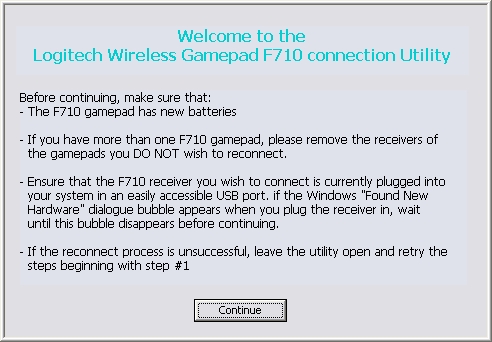
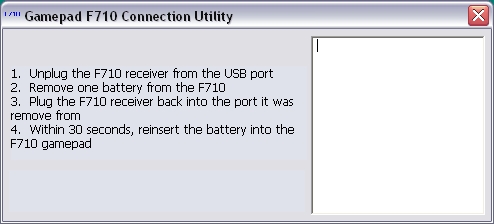
After you click Continue, the main Connection Utility window will display. The screen will look like this for on-screen steps 1 and 2.
-
Complete the on-screen steps.
NOTE: Once you plug the receiver back in for on-screen step 2, the window will update and you'll have 30 seconds to reinsert the battery. Be sure to do this in the time allotted before the on-screen countdown reaches "0".
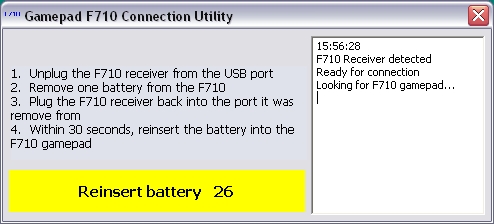
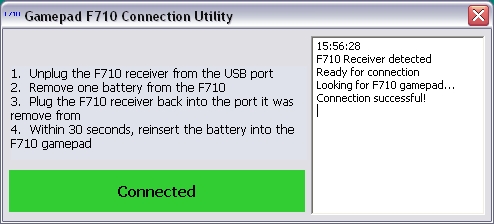
When the gamepad connects successfully, you'll see a green highlighted area that that reads "Connected".
If the reconnect process is not successful, you'll see a window with a red highlighted area at the bottom that reads "Unsuccessful. Please try again.".
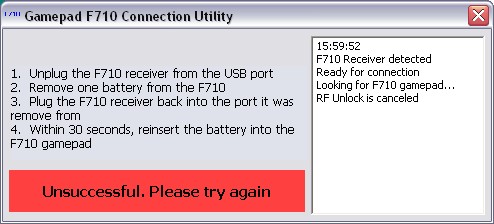
If the reconnection process is unsuccessful:
-
Try following the connection steps above again.
-
Try holding the gamepad within three (3) feet of the receiver.
-
Make sure you're using new batteries.
Contact information
If you're unable to reconnect your F710 gamepad, see Knowledge Base article 21368 for how to contact support about this product.
重要提示:罗技不再对固件更新工具提供支持或维护。强烈推荐您将 Logi Options+ 用于受支持的罗技设备。在此过渡期间,我们将为您提供帮助。
重要提示:罗技不再对 Logitech Preference Manager 提供支持或维护。强烈推荐您将 Logi Options+ 用于受支持的罗技设备。在此过渡期间,我们将为您提供帮助。
重要提示:罗技不再对 Logitech Control Center 提供支持或维护。强烈推荐您将 Logi Options+ 用于受支持的罗技设备。在此过渡期间,我们将为您提供帮助。
重要提示:罗技不再对 Logitech Connection Utility 提供支持或维护。强烈推荐您将 Logi Options+ 用于受支持的罗技设备。在此过渡期间,我们将为您提供帮助。
重要提示:罗技不再对 Unifying 软件提供支持或维护。强烈推荐您将 Logi Options+ 用于受支持的罗技设备。在此过渡期间,我们将为您提供帮助。
重要提示:罗技不再支持或维护 SetPoint 软件。强烈推荐您将 Logi Options+ 用于受支持的罗技设备。在此过渡期间,我们将为您提供帮助。
常问问题
此部分没有可用的产品
没有此产品的相关下载内容
没有此版本的相关下载内容。
Compatible Product
