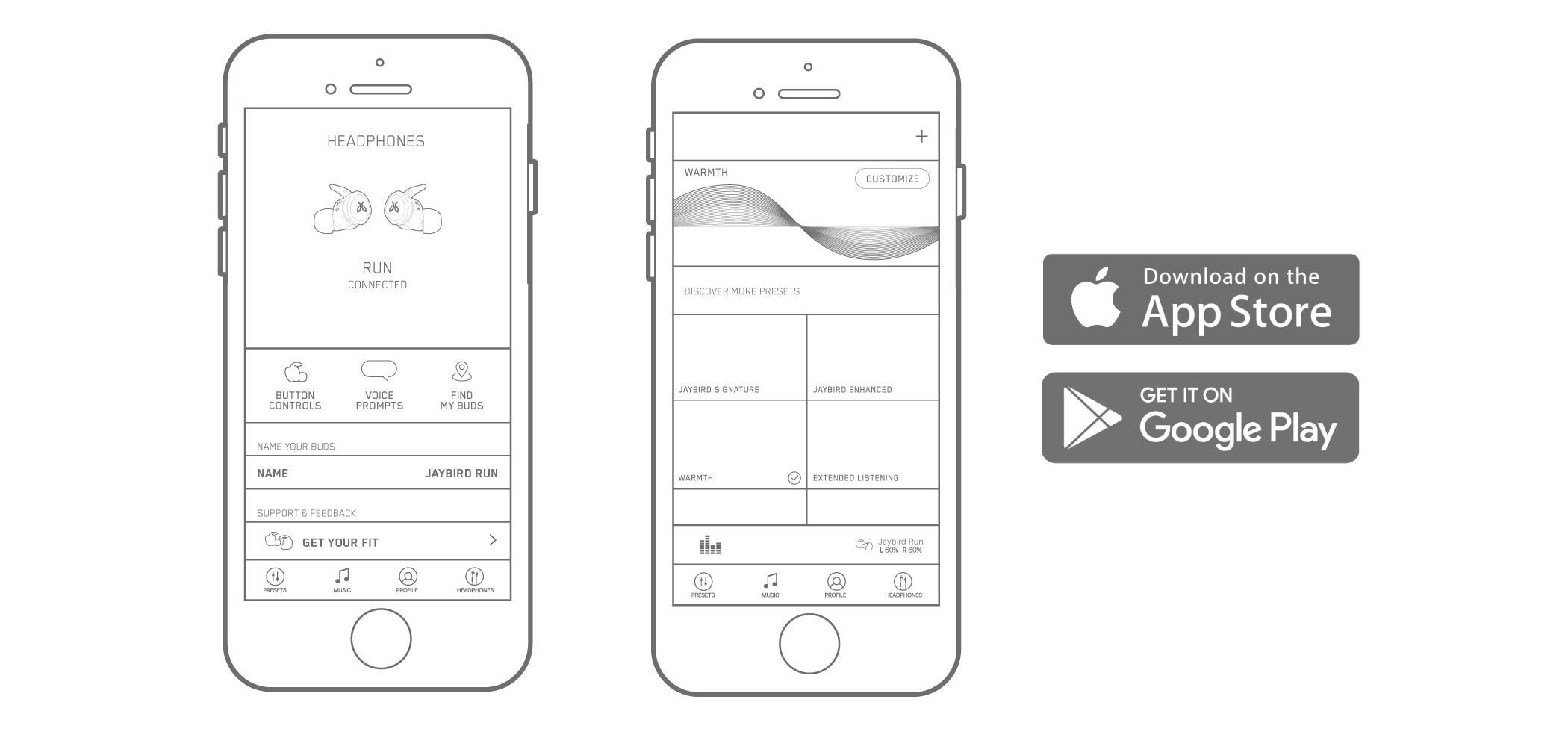
The Jaybird app gives you the ability to customize the sound profile of your Jaybird RUN earbuds in real time. You can access customized presets created by the Jaybird team as well as many others from Jaybird Athletes. You also have the ability to create your own sound profile and save it by using the custom equalizer. If you think you’ve created the perfect sound profile, share it with the Jaybird Community and watch as people from around the world save and use your preset.
We love running and we love music, so we developed the Running Music feature. If you’re looking for music to pump up your run, then this is for you. Explore great music from other runners, and share your favorite Spotify running playlists.
Additionally, you can use the Jaybird app to adjust your Jaybird RUN button functions, voice prompts, Find Your Buds, reach out to us for support, and give us feedback.
重要須知:韌體更新工具不再由 Logitech 支援或維護。我們強烈建議為支援的 Logitech 裝置使用 Logi Options+。在此過渡期間,我們會隨時為您提供協助。
重要須知:Logitech Preference Manager 已不再由 Logitech 支援或維護。我們強烈建議為支援的 Logitech 裝置使用 Logi Options+。在此過渡期間,我們會隨時為您提供協助。
重要須知:Logitech Control Center 已不再由 Logitech 支援或維護。我們強烈建議為支援的 Logitech 裝置使用 Logi Options+。在此過渡期間,我們會隨時為您提供協助。
重要須知:Logitech Connection Utility 已不再由 Logitech 支援或維護。我們強烈建議為支援的 Logitech 裝置使用 Logi Options+。在此過渡期間,我們會隨時為您提供協助。
重要須知:Unifying Software 已不再由 Logitech 支援或維護。我們強烈建議為支援的 Logitech 裝置使用 Logi Options+。在此過渡期間,我們會隨時為您提供協助。
重要須知:羅技不再支援或維護 SetPoint 軟體。我們強烈建議為支援的 Logitech 裝置使用 Logi Options+。在此過渡期間,我們會隨時為您提供協助。
常見問答集
沒有適用於此區段的產品
沒有適用於此產品的下載項目
沒有適用於此版本的下載項目。
Compatible Product
