Follow the instructions below to successfully update the firmware of the G321 headset. This applies to the tool with software version 1.0.11.
Important: The USB wireless receiver must be connected to the PC throughout the process. This helps the headset stay connected in LIGHTSPEED mode for the firmware update to apply. Refer to our detailed do's and don'ts article for more information.
- The firmware update requires a Windows 11 PC.
- Download the Firmware Update Tool.
-
Unzip the downloaded folder to access the application file named Logitech G321 FW Updater - 1.0.11.
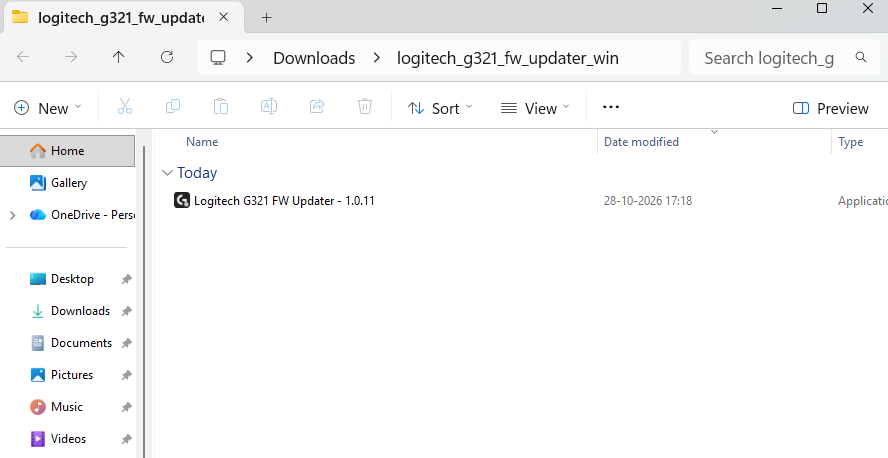
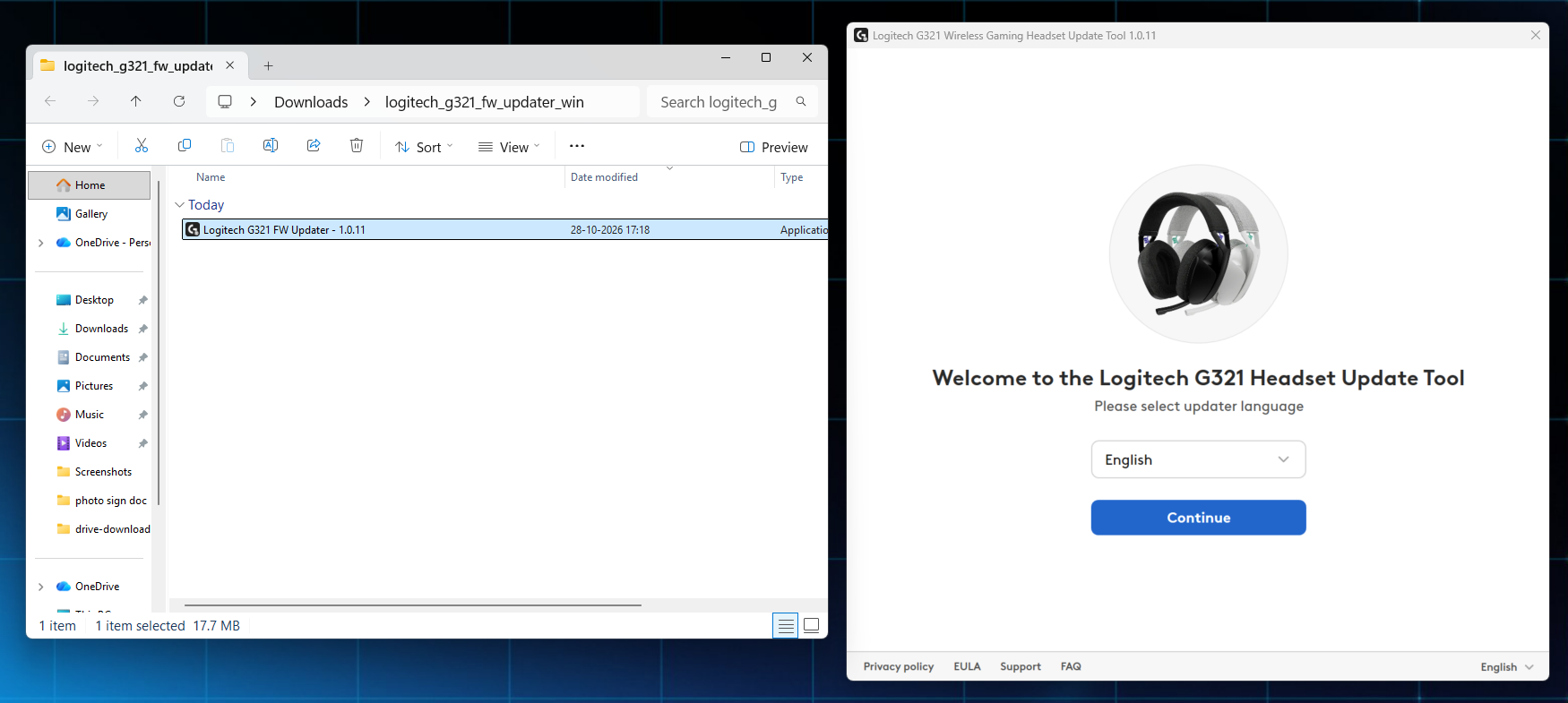
- Double-click the application file to access the Firmware Update Tool. Select your preferred language from the dropdown and click Continue to proceed.
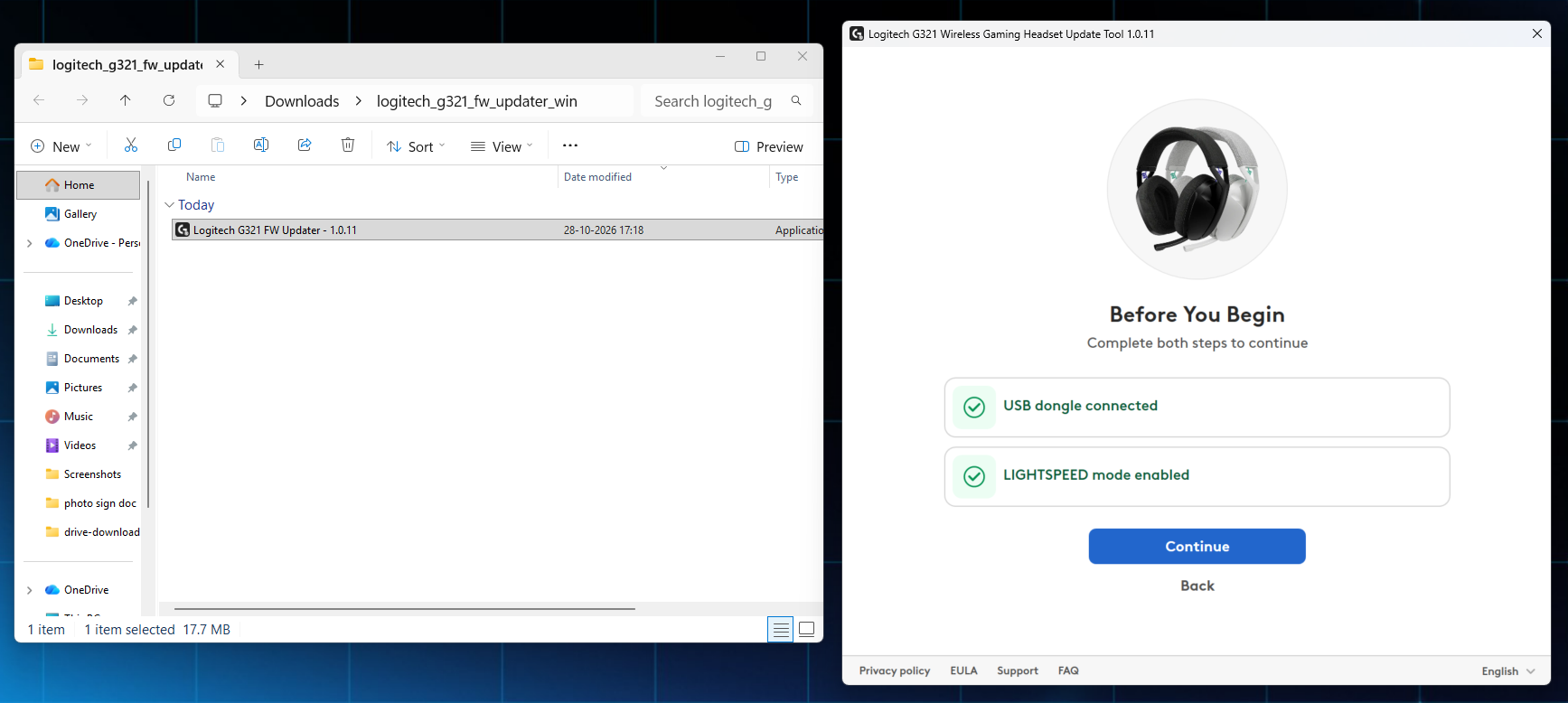
- The window will prompt you to make sure the USB wireless receiver is connected and the headset is in LIGHTSPEED mode. Click Continue.
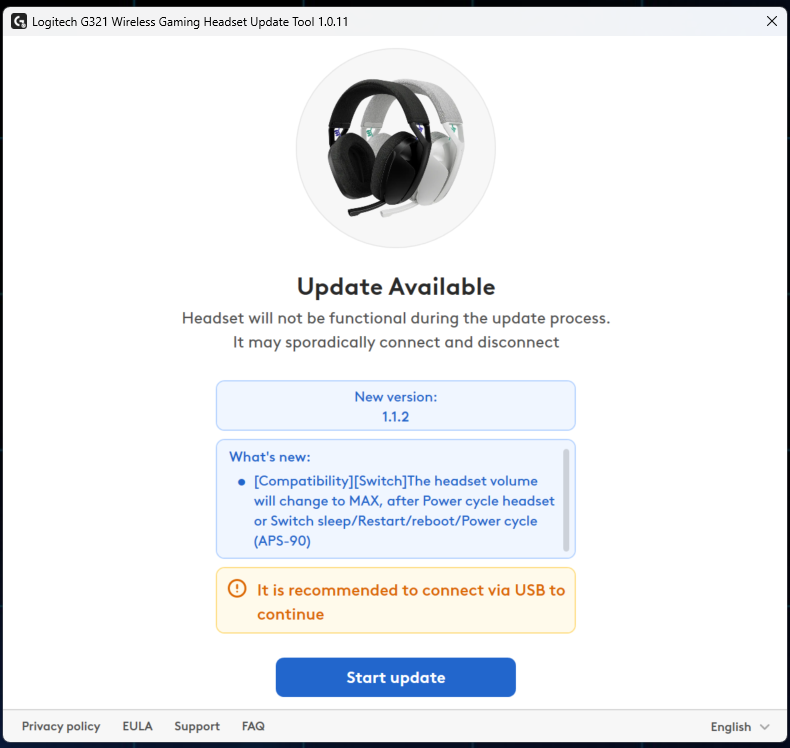
- Review the release notes for information about firmware version 1.1.2. You can also check the detailed release notes for this version. Click Start Update to begin the firmware update process.
-
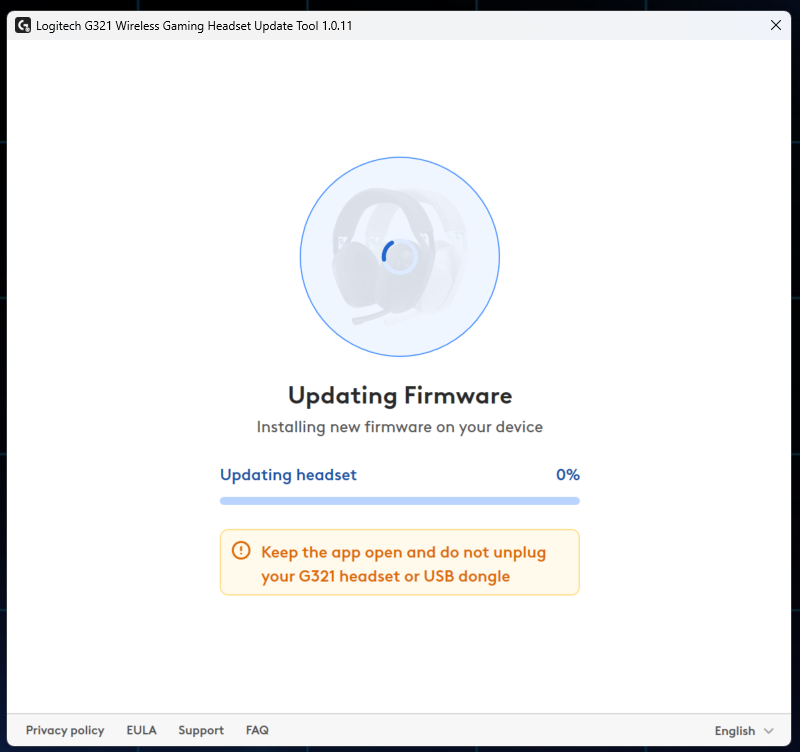
Wait for the update to complete. It is normal for this to take two to three minutes. Do not turn off the headset or disconnect from LIGHTSPEED mode.
-
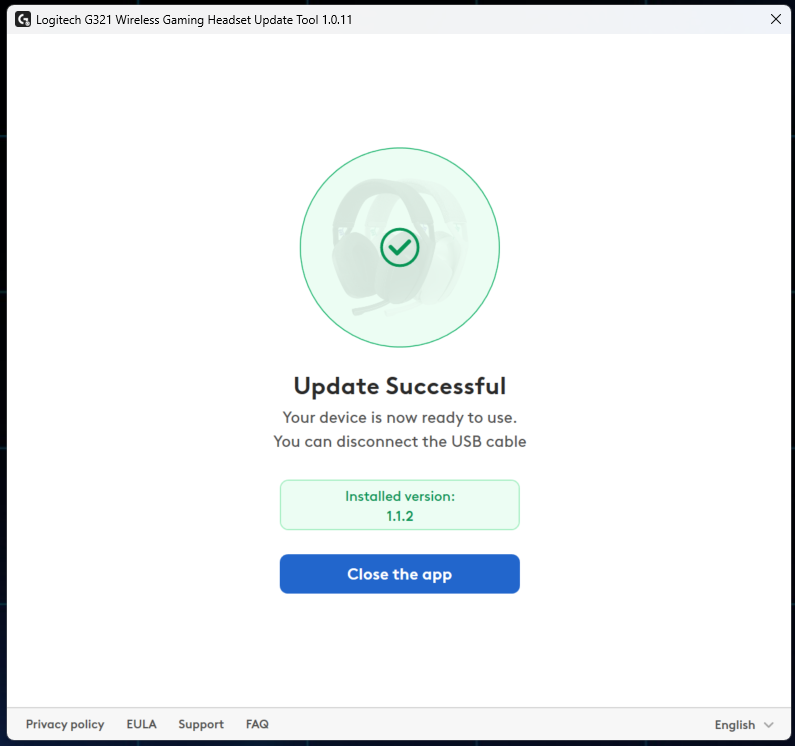
The headset will turn off and on automatically during or at the end of the firmware update. An "Update Successful" notification will display on the screen when it is finished and your G321 headset will display firmware version 1.1.2 on the screen.
Repeat the complete process only if necessary.
重要須知:韌體更新工具不再由 Logitech 支援或維護。我們強烈建議為支援的 Logitech 裝置使用 Logi Options+。在此過渡期間,我們會隨時為您提供協助。
重要須知:Logitech Preference Manager 已不再由 Logitech 支援或維護。我們強烈建議為支援的 Logitech 裝置使用 Logi Options+。在此過渡期間,我們會隨時為您提供協助。
重要須知:Logitech Control Center 已不再由 Logitech 支援或維護。我們強烈建議為支援的 Logitech 裝置使用 Logi Options+。在此過渡期間,我們會隨時為您提供協助。
重要須知:Logitech Connection Utility 已不再由 Logitech 支援或維護。我們強烈建議為支援的 Logitech 裝置使用 Logi Options+。在此過渡期間,我們會隨時為您提供協助。
重要須知:Unifying Software 已不再由 Logitech 支援或維護。我們強烈建議為支援的 Logitech 裝置使用 Logi Options+。在此過渡期間,我們會隨時為您提供協助。
重要須知:羅技不再支援或維護 SetPoint 軟體。我們強烈建議為支援的 Logitech 裝置使用 Logi Options+。在此過渡期間,我們會隨時為您提供協助。
常見問答集
沒有適用於此區段的產品
沒有適用於此產品的下載項目
沒有適用於此版本的下載項目。
Compatible Product
